Android Home Screen Widgets
Table of Contents
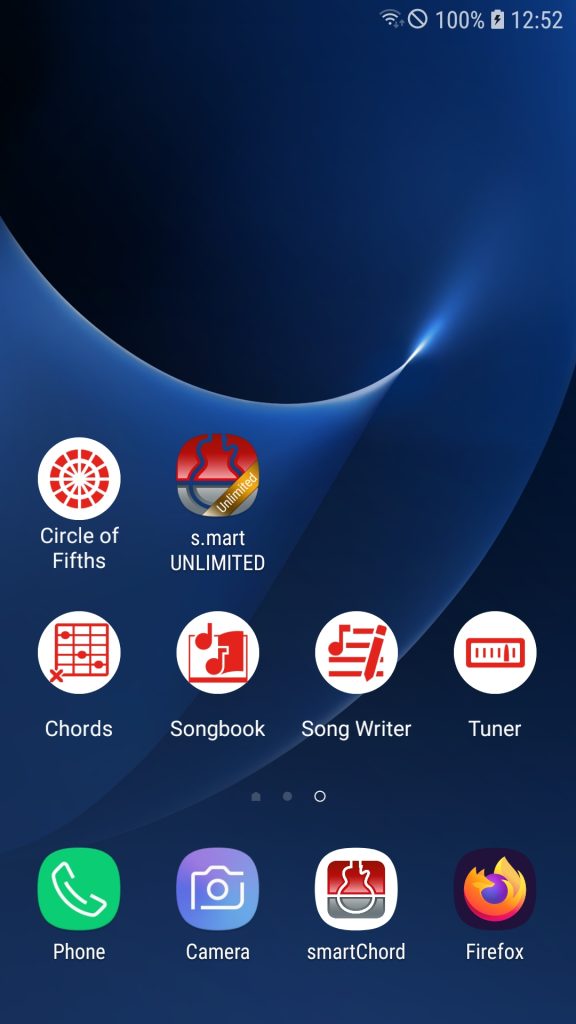
📱 How to add a smartChord widget to your Home Screen
smartChord now supports Android Home Screen Widgets! You can place any of your favorite tools directly on your home screen for quick access.
🪄 To add a widget:
- Touch and hold an empty area on your home screen.
- Tap “Widgets” from the menu that appears.
- Scroll down to smartChord.
- Drag and drop it onto your home screen.
- Choose the desired tool widget (e.g., Tuner, Metronome, Chords, etc.).
- Optionally, resize it or adjust settings if available.
That’s it — your favorite smartChord tools are now instantly available right from your home screen! 🎶