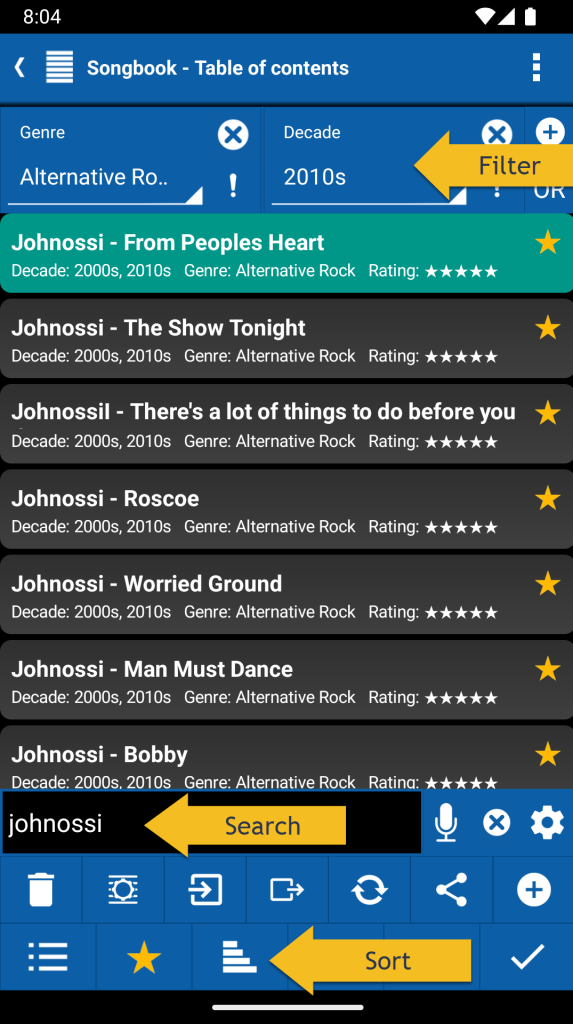
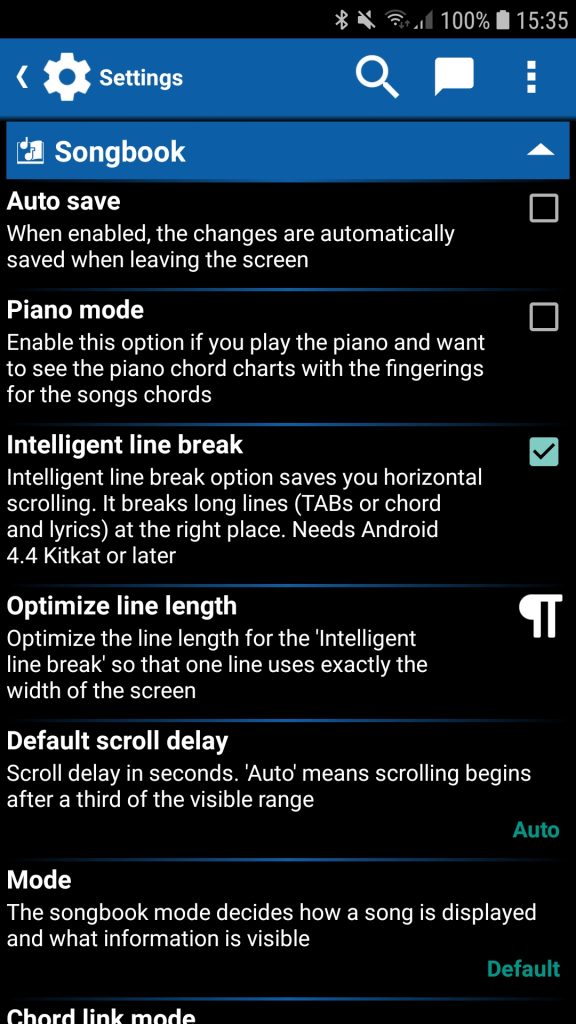
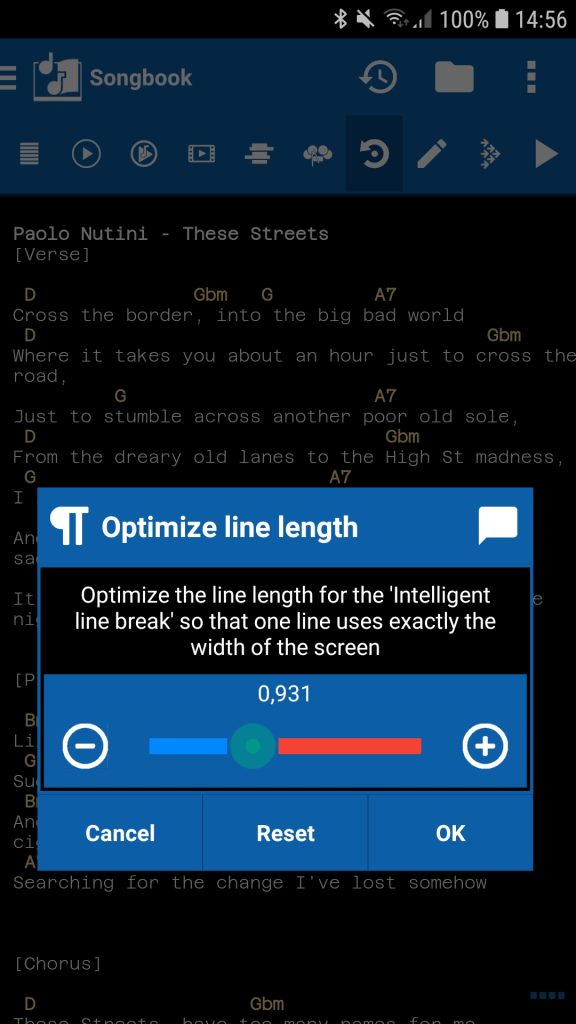
✔ Songbook: The ‘Swipe gesture’ option allows you to swipe to the next or previous song. Which song this is, is determined by the sorting and filtering in the table of contents
✔ Songbook Song Search: Ultimate-Guitar changed their behavior again and do not break lines on small screens anymore. We have removed the logic to combine lines again
✔ Table of contents: Restore the last search filter
✔ File search improved (e.g. used for import)
✔ Set-list-link: Can be activated even if the set list is empty
✔ Instruments: ▫ Buttons for settings and to add more instruments ▫ More visible instruments on larger screens
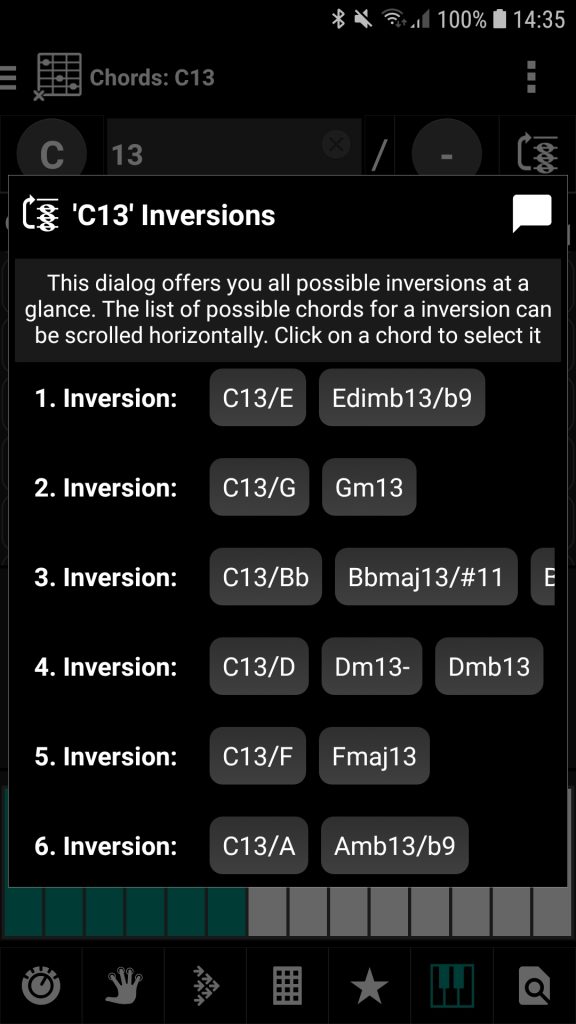
🐞 Chord Name: ‘Play’ button did not work
🐞 Chord Name: Change instrument and change tuning needs a restart of the screen
✔ A lot of other improvements and fixes
❀ Special thanks to Hans Walfridsson, Jo Ottenheim, Nolan Gomez, Paco Vela, Randy Bey and Robert Aigner for their contribution to this version
⭐ Categories to classify and filter your items like songs or exercises
▫ Assign the categories to your items ◾ Enrich them with additional information ◾ Quickly find your items with the category filter ◾ Get an overview of your items
▫ Filter your items by one or more categories
▫ Possibility to assign multiple entries of a category
▫ Possibility for NOT logic to select items that do not meet the specified categories
▫ Each item type may have different categories with multiple entries
▶ Watch our video with a brief introduction to the s.mart Ear Trainer
✔ Songbook: Piano mode now available for the toolbar
✔ Open the tempo dialog by a long press on the plus or minus buttons beneath the seekbars
✔ Other improvements and fixes
❀ Special thanks to Bernd Breitinger, Jo Ottenheim, Paco Vela, Peter Fresser, Scott Noroozi and Sergei Nikiforov for their contribution to this version
▫ Helps you to develop your musical ear in a playful and effective way ◾ Intervals: Learn the intervals from perfect unison (P1) to double octave (P15) ◾ Notes: Learn to distinguish all notes ◾ Chords: Learn to recognize and distinguish chords ◾ Scales: Learn to recognize and distinguish scales ◾ Scale degrees: Learn to differentiate between the scale degrees
▫ Answer the questions on a ◾ Fretboard: Use the instrument, tuning and range of your choice ◾ Piano ◾ Textual list
▫ Most effective training mode
▫ Shows correct answer on mistake or timeout
▫ Freely selectable octave range
▫ Choose from 100 instruments for the sound
▫ Option to play chords harmonically, melodically or randomly
▫ Option to play scales ascending, descending, in both orders or randomly
▫ Option to play chord and scales slow medium or fast
▫ Option to define a reference note to guide you
▫ Option for acoustical feedback to indicate whether the answer was right or wrong
▫ Full-screen mode to use the entire screen to play your games
▫ Possibility to cheat (however, is visible in the statistics)
▫ Comfortable chord selection possibility e.g. from your songs or chord progressions
▫ Comfortable scale selection possibility
▫ Statistics to check your training progress or to identify the chords or notes you have to focus on (tables, charts and distributions)
▫ Share your quizzes with your friends, other musicians or students
▫ Synchronize Ear Trainer quizzes between your devices
▫ Keep notes in the notepad for each quiz
▫ Supports all other relevant smartChord features (e.g. color scheme, left handed fretboard or Solfège)
✔ Fretboard Trainer: ▫ Option to play chords harmonically, melodically or randomly ▫ Option to play scales ascending, descending, in both orders or randomly ▫ Option to play chord and scales slow medium or fast ▫ Option to define a reference note to guide you
🐞 Chord pad could be empty and that was irritating
✔ A lot of other improvements and fixes
❀ Special thanks to Colin Coutts, Dave Murray, Erasmus Hossenphepher, Fabian Hidalgo, Javi Rivas, Laura Grammegna and Scott Schiffer for their contribution to this version
▫ Still a pre-release version for subscribers and UNLIMITED customers
▫ Teaches you to recognize intervals with the input modules ‘Fretboard’ or ‘Text’
▫ From perfect unison (P1) to double octave (P15)
▫ Other improvements for notes, chords and scales
✔ Scale Name, Fretboard Trainer, Ear-Trainer, Chord Pad, Chord Progression: ▫ Add multiple chords at once by entering the chord names
✔ General sound settings: Possibility to select the instrument sound for counting in
✔ Other improvements and fixes
❀ Special thanks to Andrés López, Asaf Schurr, Austin Geraci, David Grivette, Dirk Brundelius, Hans Sta, Jackson Fernando, Jeffrey C. Pina, Jeremy Sherlock, Lothar Roh, Nico Rieske, Renato A. Trujillo Quiroz, Ulco Kleinhout and Vito Piscitelli for their contribution to this version
❀ Special thanks to Andrés López, Austin Geraci, Dirk Brundelius, Jackson Fernando, John W Farquhar, Julian Haas, Laura Grammegna, Nico Rieske, Renato A. Trujillo Quiroz, Ulco Kleinhout and Vito Piscitelli for their contribution to this version
Rock together, save together! Equip your band with s.mart UNLIMITED and benefit from our exclusive offer.
With s.mart UNLIMITED you have all the tools you need for your music – whether on stage, in the rehearsal room, when jamming or practicing or even when songwriting.
smartChord is your musical companion:
Perfect for the stage: Plan your gigs with the set list, access lyrics and chords and impress your audience.
Pure creativity: Write your own songs with the songwriter, discover new chords and scales and let your creativity run wild.
Practice makes perfect: Improve your skills with the fretboard, ear, speed and pattern trainer.
Always in sync: Share your setlists and songs with your band members.
Buy at least two s.mart UNLIMITED licenses by the end of the year and get more for free!
It’s that simple:
Buy at least two s.mart UNLIMITED licenses in November or December 2024
Send the order IDs (e.g. GPA.1234-1234-1234-12345) of your orders to offer@smartchord.de.
Add a link to your band’s homepage to your email and we’ll add it you to the list of bands using smartChord
Receive your voucher code(s) for the free s.mart UNLIMITED license(s)
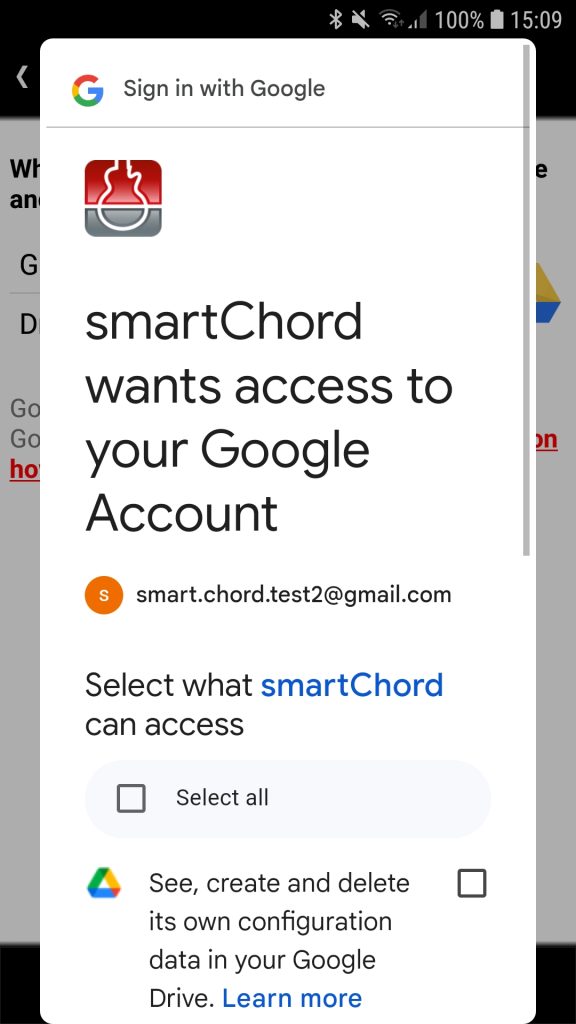
◾ Access is significantly faster, only takes place via a restricted scope (‘drive.file’) and takes place according to current specifications. This results in:
▫ Restricted and granular access to files and folders
▫ Improved data protection and security
▫ User-friendliness and compatibility
▫ Reduced risk of access to sensitive data
▫ No need to use a browser for login, also on Chromebook
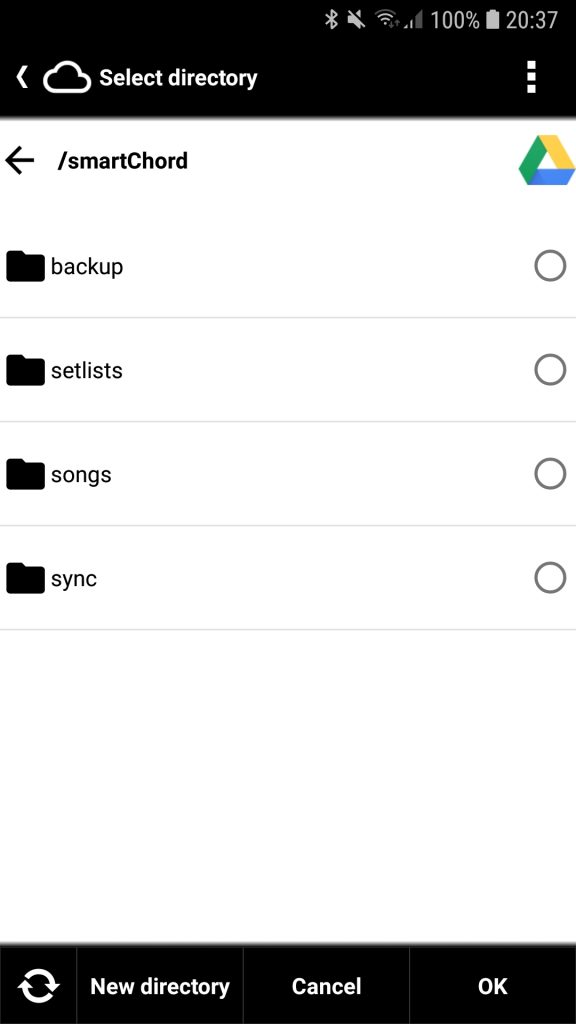
✔ Option to save the latest backup also in a folder of your choice, allowing you to easily back it up using your preferred method 📖 Documentation
🐞 Chord name: Usage in landscape mode 🐞 Not all checkboxes were clearly visible for every theme
✔ Other improvements and fixes
❀ Special thanks to Axel Klag, Matt Busikool, Scott Noroozi, Sergei Nikiforov, Simon Brotherton, Uwe Gieseke and Victoria Dunfee for their contribution to this version
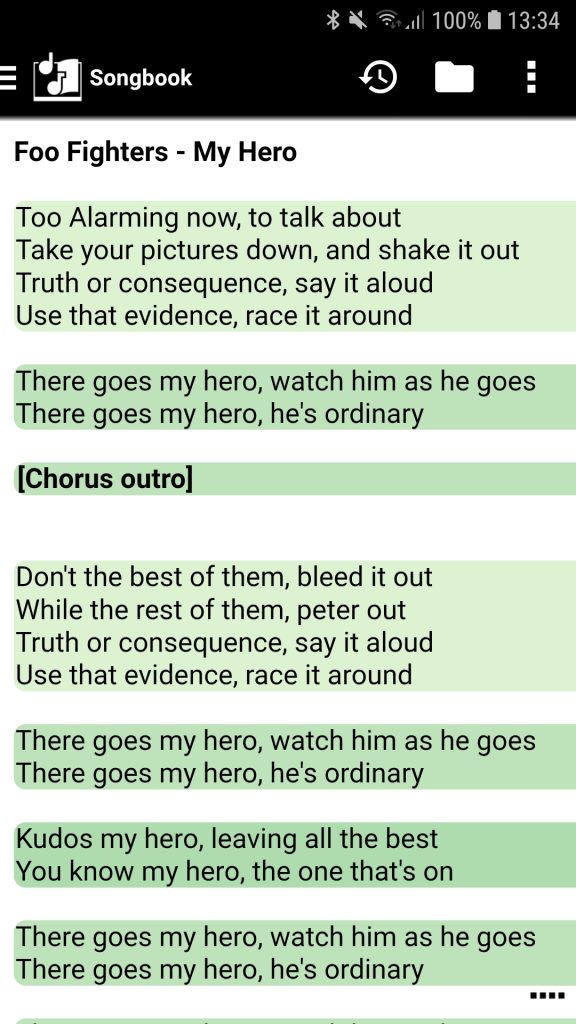
◾ Song Structure support: ▫ Define the sections of your song with simple headings ▫ Allows notation with square brackets: [Verse] [Chorus] … ▫ Allows notation with colon behind the heading: Verse: Chorus: … ▫ Each section starts with a heading and ends with a blank line or another section ▫ Section headings are shown in bold ▫ A section is colored as a block according to your Songbook color scheme ▫ Option to map song section header names to the songbook color scheme 📖 Documentation
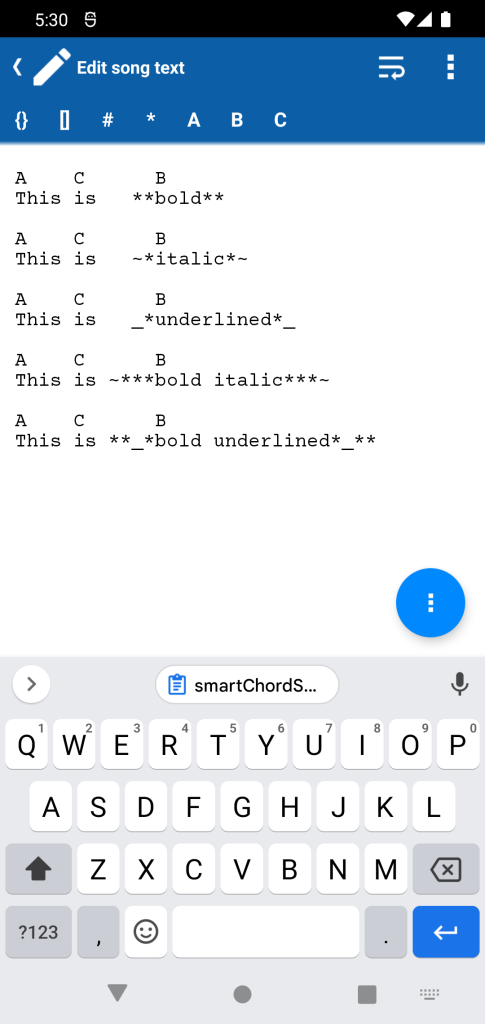
◾ Emphasize individual words: ▫ Bold: surround it with double asterisks (*). ▫ Italics: surround it with a tilde and an asterisk (~). ▫ Underline: surround it with an underline and an asterisk (_*). ▫ You can also combine Italics and Underline with Bold 📖 Documentation
◾ New directive {new_page} ▫ It forces a new page to be generated when a song is printed ▫ Songbook editor menu supports this directive ▫ Reference: https://www.chordpro.org/chordpro/directives-new_page/ 📖 Documentation
◾ Songbook editor: ▫ The ChordPro-Multiline-transformation also transforms sections: e.g. {start_of_verse:Verse 1} <-> Verse 1: ▫ Toolbar for quick insertion of the chords and sections of the song and frequently used characters like bracket pairs [] and {} ▫ Toolbar can be disabled in the settings 📖 Documentation
◾ Option in ‘Lyrics’ mode that activates a proportional font to improve readability and enhance aesthetics 📖 Documentation
✔ Metronome: Buttons to increase and decrease the tempo in steps of 5 and 10 BPM
✔ Other improvements and fixes
❀ Special thanks to Darryl Brooks, Gian Müller, Ken Cowie, Michael Fischer, Michele De Pascalis, Mike Ellis, Milan Kofron and Paul Aussem for their contribution to this version
⭐ Set List: ◾ Possibility to maintain these properties also for PDFs and images: ▫ Album ▫ Arranger ▫ Composer ▫ Copyright ▫ Dance ▫ Duration ▫ Genre ▫ Key ▫ Lyricist ▫ Tags ▫ Tempo ▫ Time signature ▫ Tuning ▫ Year ◾ Possibility to edit these songs’ properties directly in the Set List ◾ Option to customize, which information is visible for songs, PDFs and images ◾ Option to disable the swipe gesture to switch between the entries ◾ Possibility to replace an entry ◾ Shows the duration of the break
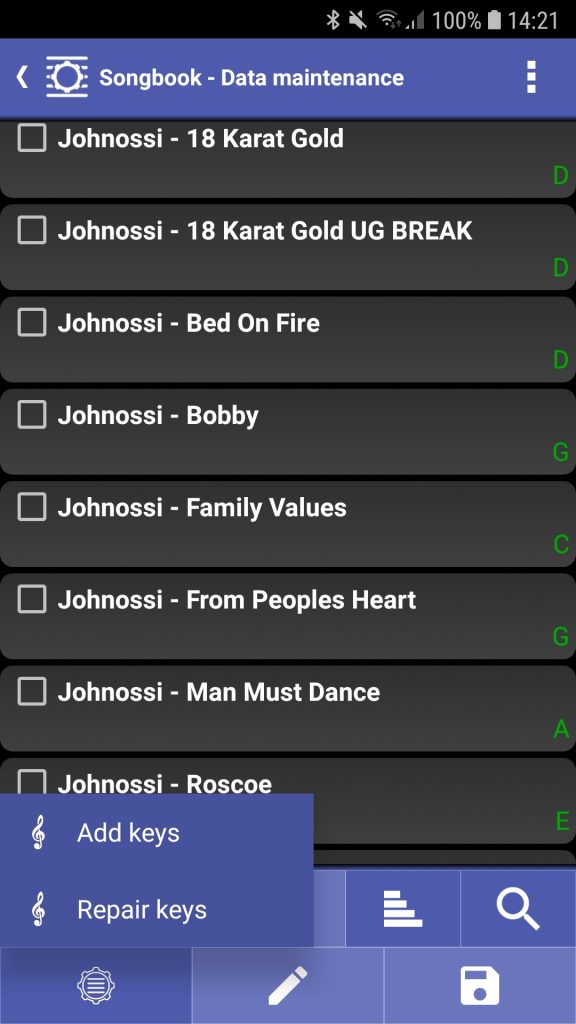
⭐ Songbook data maintenance ◾ Automatic maintenance: ▫ Add Key: automatically defines the key of your songs, provided the key isn’t defined already ▫ Repair Key: automatically replaces the key if the Key Identifier determines a different key
✔ Editor: Pinch gesture to change the font size
✔ Fretboard Trainer: Shows the correct answer after a timeout
✔ Other improvements and fixes
❀ Special thanks to Dirk Brundelius, Mike Ellis, Peter Smith , Philibob Gossimer and Vittorio Bernardini for their contribution to this version
◾ Comfortable way to edit multiple songs at once: ▫ Album ▫ Arranger ▫ Composer ▫ Copyright ▫ Dance ▫ Genre ▫ Key ▫ Lyricist ▫ Tags ▫ Tempo ▫ Time signature ▫ Year ▫ Youtube
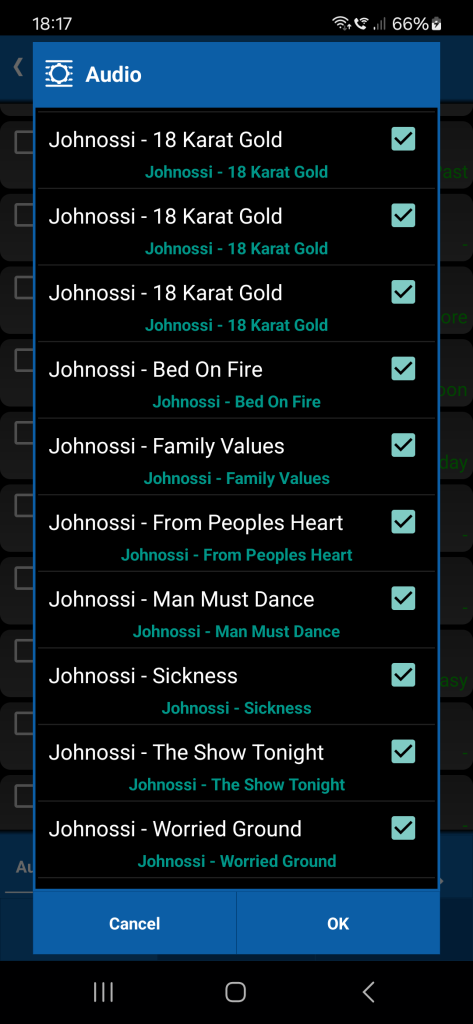
◾ Automatic maintenance: ▫ Attach audio: automatically links your songs to an audio file on your device, provided the song doesn’t already have a link and the names are the same ▫ Attach video: automatically links your songs to an video file on your device, provided the song doesn’t already have a link and the names are the same ▫ Repair audio: automatically replaces links in your songs to non-existing audio files, if there is a another audio file, which can be automatically attached ▫ Repair video: automatically replaces links in your songs to non-existing video files, if there is a another video file, which can be automatically attached
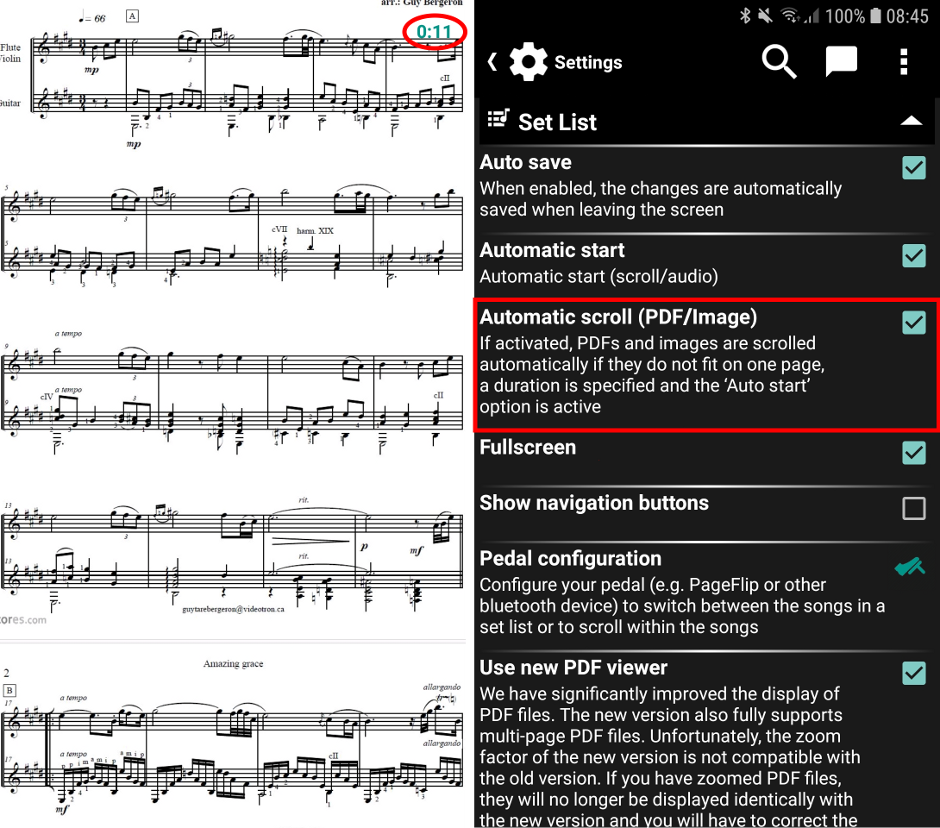
◾ Scrolling PDF and images: ▫ Auto-scroll works for PDF and images, for which a duration has been specified ▫ Option to activate auto-scroll for PDF and images ▫ ‘Start’ button to start the auto-scroller if the option is not active ▫ Documentation
◾ Improved image viewer: ▫ Images are zoomable and movable ▫ Scrolling by fingers, Bluetooth or MIDI devices ▫ Double tap to fit into screen
◾❗ Behaviour change: The toolbar of the Songbook remains displayed if it is pinned and no full screen mode is active
🐞 Set List PDF viewer scrolling pages for some PDFs
✔ Other improvements and fixes
❀ Special thanks to Frits Boogaarts, Gerrit Horeis, Manuel Almonacid, Marcos Perico Lospalotes, Michelle Croissant and Steve Clerckx for their contribution to this version
⭐ Set List PDF viewer: ◾ We have significantly improved the display of PDF files. The new version also fully supports multi-page PDF files. ◾ ❗ Unfortunately, the zoom factor of the new version is not compatible with the old version. ◾ ❗ If you have zoomed PDF files, they will no longer be displayed identically with the new version and you will have to correct the zoom factor in each case. ◾ ❗ We will support both versions for a transitional period and you can switch between them in the settings
⭐ Set List supports the online song viewer: ◾ Sing with your audience and show them the song or just the lyrics in any browser ◾ Present the songs of the Set List in any browser at http://www.smartchord.de/song (e.g. the one of your smart TV) ◾ Shows automatically the current song ◾ Different themes for daylight or in the dark pub ◾ Optimized text size by one to four columns ◾ Documentation
⭐ Set List supports automatic lookup for audio files if their location has been changed
🐞 Chords: Enter ‘aug’ chords
✔ Other improvements and fixes
❀ Special thanks to Blaise Ardouin, Frank Dreibrodt, Josh Bezaire, Manuel Almonacid and Raz Kandel for their contribution to this version
✔ Piano: Note name and degrees according to the ‘Names’ setting Fretboard info ◾ Notes (Settings): Note names according to your settings ◾ Notes (Theory): Note names according to the music theory ◾ Intervals ◾ Relative notes
✔ Home-screen: Menu item to sort the tools by name
🐞 Set List, Songbook: Title bar was visible in full-screen mode
✔ Other improvements and fixes
❀ Special thanks to Adriano Maria Elena, Brian Witowski, Eugene W. Maxwell, Frank Dreibrodt, Jim Winery, Mario Ravlić, Mark Heathcote, Simone Denaro, Viorel Postica and Wolfgang Göttler for their contribution to this version