Metronome Overview
Perfect your timing – the smartChord Metronome gives you the beat!
Train your sense of rhythm and develop your ability to maintain a steady tempo. Simply set your desired beats per minute (BPM) and time signature, choose your favorite instrument sound, and tap Start – off you go! Start slowly and increase your pace gradually to improve precision and control.
With smartChord’s Metronome, you’ll have a powerful and flexible rhythm trainer at your fingertips:
⭐ Highlights
- Extremely precise metronome – accurate up to 300 BPM
- Over 50 time signatures, including uncommon ones like 6/4, 7/4, 9/4, 11/4, and more
- 60 different instrument sounds to match your style
- Graphical and acoustic feedback for an intuitive rhythm experience
- Well integrated with other tools like the Songbook and Song Writer
- Works in the background mode in all other tools
The smartChord Metronome combines precision, flexibility, and musical versatility to help you master timing across all styles and instruments. Whether you’re practicing scales, chords, or entire songs, it’s the ultimate rhythm companion.
🎵 Features
- Adjust the tempo easily with buttons for ±5 or ±10 BPM
- Tap Tempo: set the tempo by tapping along with your rhythm
- Speed Trainer: automatically increase or decrease the tempo over time to build endurance and accuracy
- Displays exercise duration, number of cycles, and elapsed time
- Loop and iteration indicators when using the Speed Trainer
- Timer support – stop the metronome automatically after a set duration
- ‘Count-in’ option to start with a preparatory measure
- Background mode – keep the metronome running while using other tools or apps
- Dimming mode – save battery while practicing
- Flash mode – the screen flashes on every beat for visual feedback
- Vibration mode – feel the rhythm through your device
- Custom presets – save and recall your favorite metronome settings anytime
- Option to keep the screen on (dimmed or bright) during practice


⚙️ Settings

Auto save
When enabled, the changes are automatically saved when leaving the screen
Time signature
Please select your desired time signature
Just first beat accented
By using this setting only the first beat will be accented: e.g. using a 4/4 time signature this means: ‘strong – weak – weak – weak’ instead of ‘strong – weak – medium – weak’
Background
Would you like to have the metronome sounding in the background while you are using your smartphone for something else?
Dimming
Would you like to turn off the screen while the metronome is sounding in the background?
Flash
Flashes the screen on every beat
Mute
Turn off the sound
Vibrate
Would you like your smartphone to vibrate on each beat?
Accented
Please choose a sound for the metronome. Unfortunately, no smartphone will reproduce the sound of your instrument in a realistic way
Unaccented
Please choose a sound for the metronome. Unfortunately, no smartphone will reproduce the sound of your instrument in a realistic way
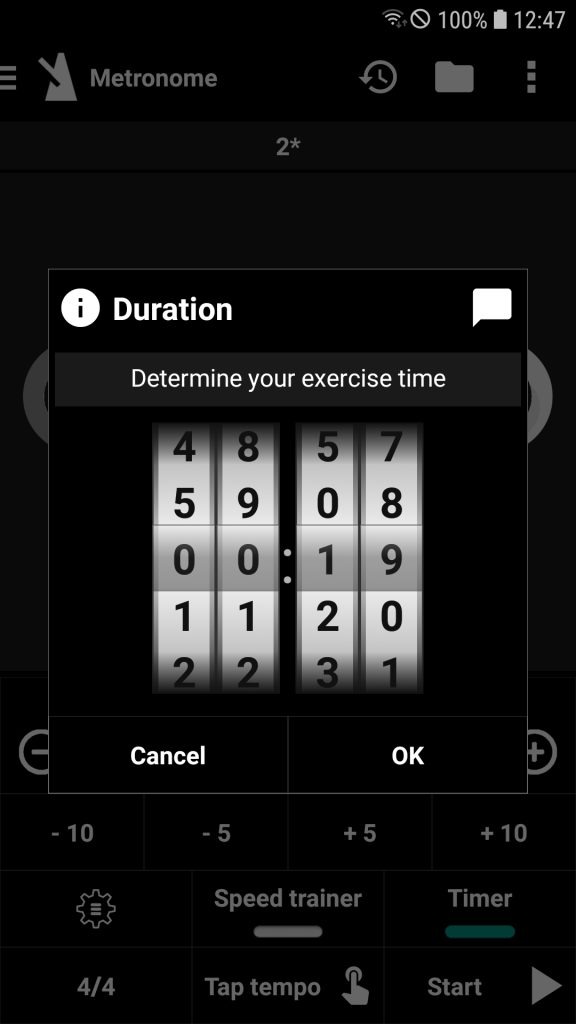
Timer
Determine your exercise time
Keep screen on
Your display will remain active – even without touching it – which will increase your smartphone’s battery consumption
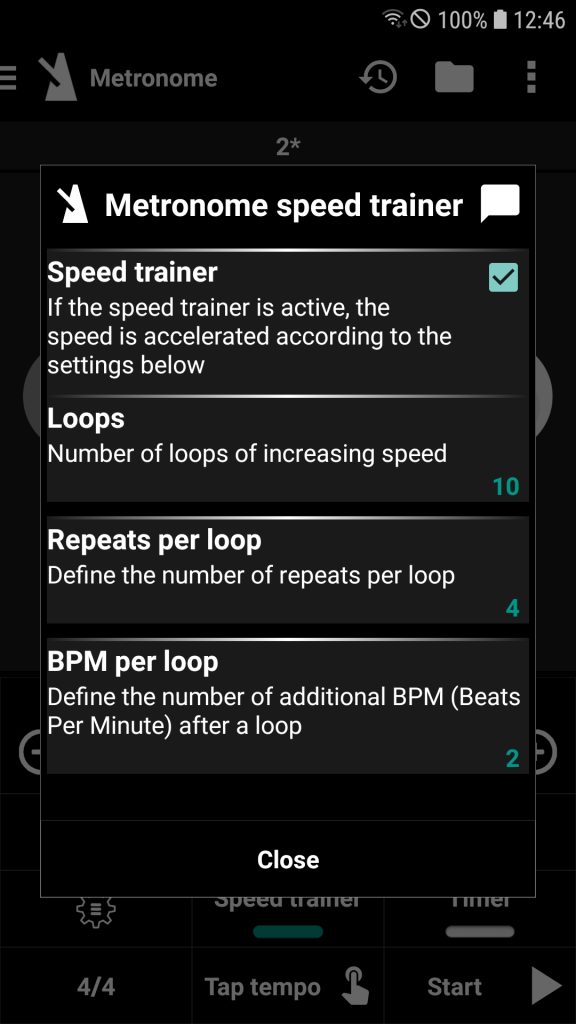
Metronome speed trainer
Speed trainer
If the speed trainer is active, the speed is accelerated according to the settings below
Loops
Number of loops of increasing speed
Repeats per loop
Define the number of repeats per loop
BPM per loop
Define the number of additional BPM (Beats Per Minute) after a loop