Notepad Overview
The smartChord Notepad is the place where your musical life comes together. Collect information, keep track of thoughts and ideas, jot down what you need to remember, and record every melody, lick or simple inspiration. Type it, paste it, dictate it, sing it — anything goes.
What makes the Notepad special is not the typing itself, but the way every note connects to the rest of smartChord. A note can belong to a song, a chord progression, a drum pattern, a practice plan or a setlist. Open the item tomorrow and your note is still there; open the note and you are one tap away from the item it talks about. Nothing sits in a silo.
What you can do with the Notepad
- Multiple notepads — one per band, per gig or per idea, whatever fits the way you think.
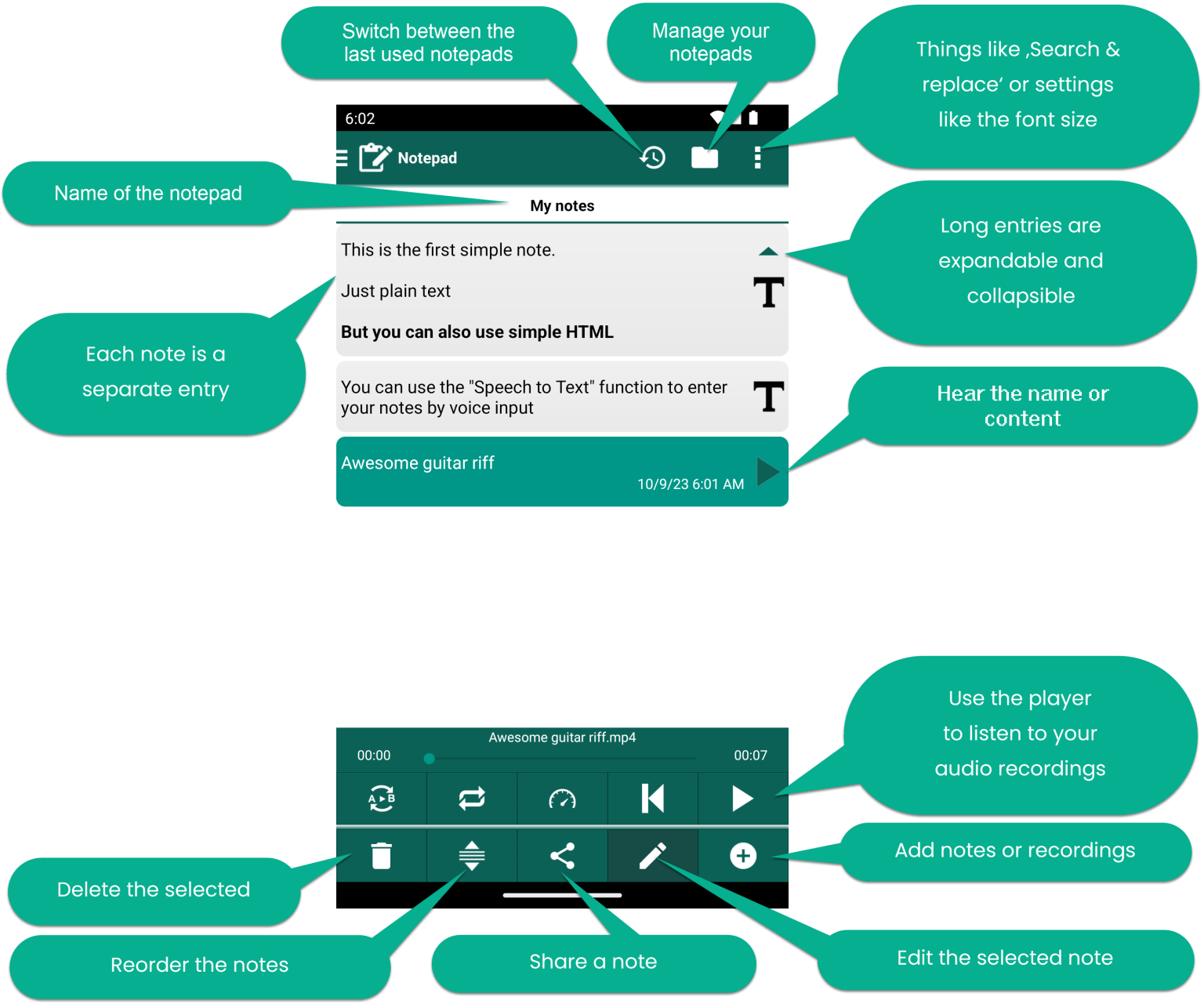
- Mixed content per note — plain text, simple HTML, voice input, or audio recordings.
- Expandable entries — long notes collapse into a short preview so the list stays scannable.
- Built-in audio player — listen to your recordings without leaving the note.
- Item linking both ways — Create note from a song, or drop a link into a note yourself with the + button in the editor.
- Editor comforts — search & replace, font size, favorites, sharing, and the Word-finder for lyrics.
Step-by-step How-to
For a complete walkthrough with screenshots — managing notepads, adding text and audio, linking notes to songs and patterns, using the in-editor + button for manual links, and more — see the dedicated article: How to use the Notepad.
Video tour
A three-minute walkthrough of the Notepad, including note types, the editor and item linking: