✅ Online song editor, importer, viewer: ▫ Chrome is supported again ▫ HTTPS support: To secure internet connections and protect sensitive data, we have switched our online tools to HTTPS. This has also slightly changed the addresses ❗❗ They now start with https. E.g. https://www.smartchord.de/song/ ❗❗
✅ Set list ▫ Export: Links in the table of contents to jump directly to the song ▫ Optimized performance on large set lists
? File access on some device
✔ Other improvements and fixes
❀ Special thanks to André Messerschmidt, Carsten Bleisch, Emory Keller, Gianluca Banchetti, Marc van Westerlaak, Reinhard Miottke, Robert Dampier, Roy Young, Sean Hartigan, and Lino Velletri for their contribution to this version
⭐ Migration to Android 11 is now complete ❗❗ PLEASE CHECK your set lists for errors ❗❗ ▫ Permission to access the storage can now be withdrawn (Android 4.4 or newer) ▫ Android 11 has a focus on privacy improvements and protecting user data ▫ smartChord meets Androids 11 API level requirements ▫ For more information please see: ◾ https://developer.android.com/about/versions/11/privacy ◾ https://www.neowin.net/news/android-11-the-new-privacy-and-security-features-to-know-about ◾ https://www.androidauthority.com/android-11-privacy-1161814
✅ Create or edit an existing note in the notepad with a link to your item from each ‘Folder’ menu. Use it for instance to document your ideas about certain items. ▫ Chord progression ▫ Fretboard Trainer ▫ Metronome ▫ Pattern ▫ Playground ▫ Practice ▫ Set list ▫ Songbook ▫ Tone generator
✅ Set list: ▫ Share songs, images and PDF files directly from the set list ▫ Adding PDF and image files using the system PDF and image picker
? Set list: Search panel hides list
✔ A lot of other improvements and fixes
❀ Special thanks to Anke Kellermann, Carsten Bleisch, Hotte Schmiegelt, Jens Martin, Mario Ravlić, Rainer Schediwak and Stefano Tranchini for their contribution to this version
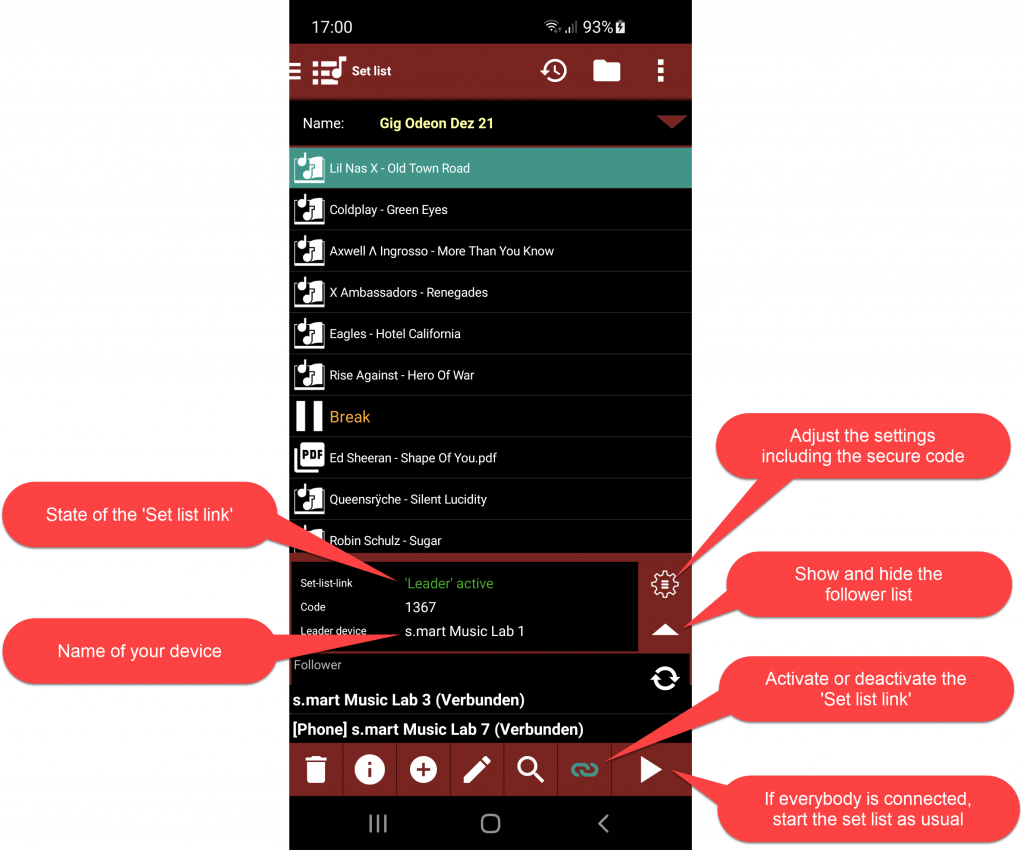
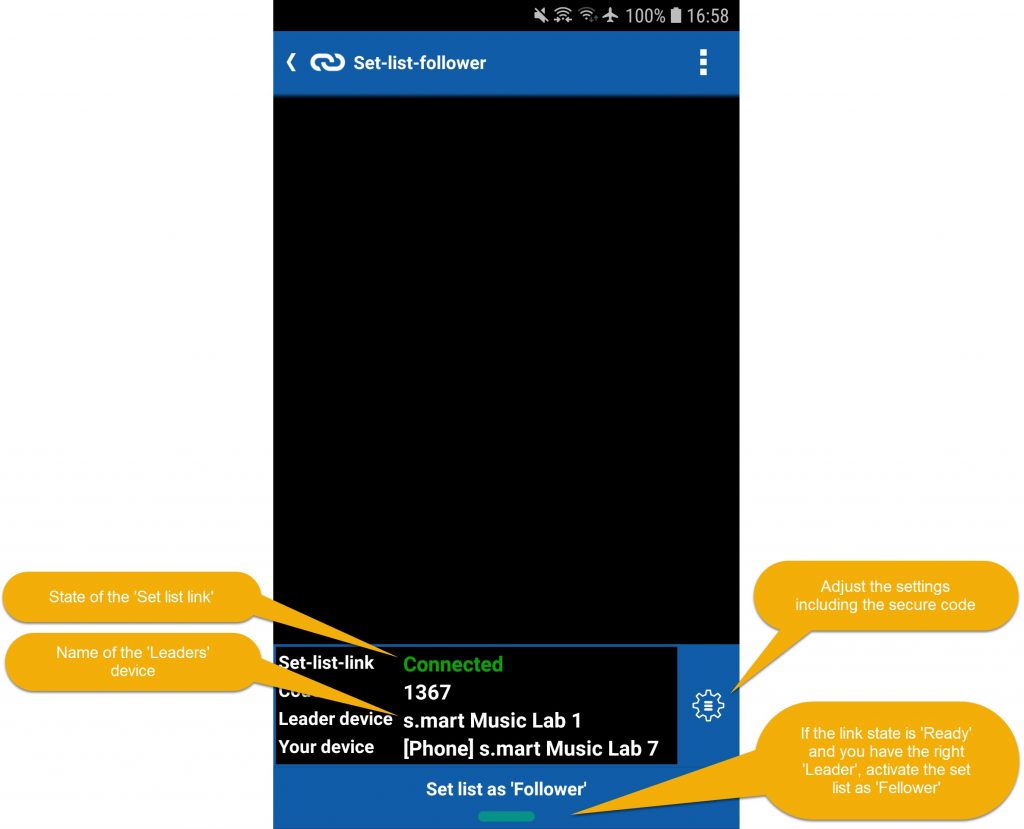
▫ Connects different devices of your bandmates during rehearsals and live performances ▫ Mirrors the set list of the ‘Leader’ to the devices of the ‘Followers’ ▫ Opens and starts the song on the follower devices in synchronization with the leader so everyone is on the same song ▫ Mirrors also songs, images and PDF files, even if they are not present on a follower device
❗ It is a pre-release version for ‘Songbook’ customers (invisible for all others)
▫ ‘Leader’ options: ◾ A secret code to prevent strangers from registering as ‘Followers’ ◾ Need to acknowledge each ‘Follower’
▫ ‘Follower’ options: ◾ View the song of the leader or the own song with the same name ◾ Scale the songs to fit on a different display size ▫ Uses ‘Wifi Direct’ and works on Android Lollipop (5.0) or newer ▫ No need for a dedicated Wifi router ▫ Please see documentation: https://smartchord.de/set-list-link
✅ Set list: Reorder button replaced by a menu item in the ‘Edit’ menu
✅ Option to hide the hints also in setting dialogs
✅ New Russian 7-string tunings
? Backup: some settings were not restored
✔ A lot of other improvements and fixes
❀ Special thanks to Carsten Bleisch, Haisam Ido, Klaus Brockt, Ramon Haack and Wolfgang Kienberger for their contribution to this version
⭐ Privacy improvements to protect your data ▫ Links to image and PDF files in set lists are migrated to links to Androids MediaStore
⭐ New instrument: Viola Caipira with predefined 19 tunings
Standard
Big onion in C
Big onion in D
Big onion D#
Big onion in E
Big stream
Cattle
D down
Downhill river
Green cane
Half guitar
Hand crank
Little onion
Natural
North eastern
Paraguazu
Repainting
Upwardriver
Uruguaya
⭐ Songbook: ▫ Possibility to show all chord charts at once ▫ Audio recordings from notepad can be used in the audio player
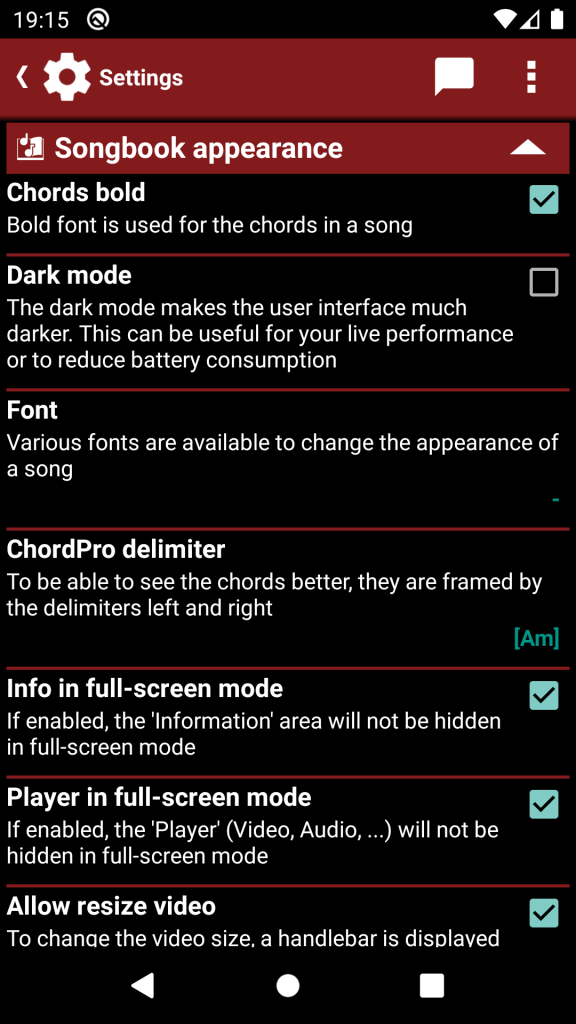
✅ Songbook & Set list: ▫ Option that allows that the ‘Information’ area will not be hidden in full-screen mode ▫ Option that allows that the ‘Player’ (Video, Audio, …) will not be hidden in full-screen mode
✅ Edit screen and text dialogs support voice recognition to enter the text
✅ Backup: Restore your data directly from a backup file in your cloud
✅ Set list: Dialog to print the set list
✔ A lot of smaller improvements and fixes
❀ Special thanks to A’Athiel Va’ Da’ath, Anke Kellermann, Dave Murray, Kenneth Calpito, Manfredo Leitner, Markus Knell, Simone Sapienza and Victor Osaka for their contribution to this version
⭐ Privacy improvements to protect your data ▫ Songbook does not need storage permission anymore ▫ Links to audio and video files in songs are migrated to links to Androids MediaStore
⭐ New instrument: 9-string guitar with nine predefined tunings
9-String Standard
9-String B
9-String Double Drop A
9-String Drop A
9-String Drop B
9-String Drop B + E
9-String Drop F
9-String Drop G
9-String High A
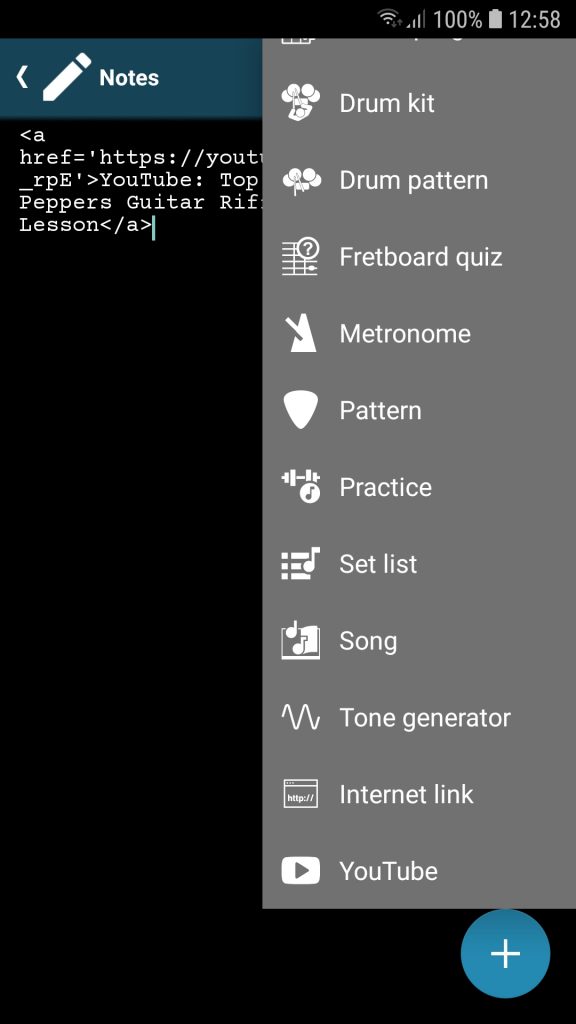
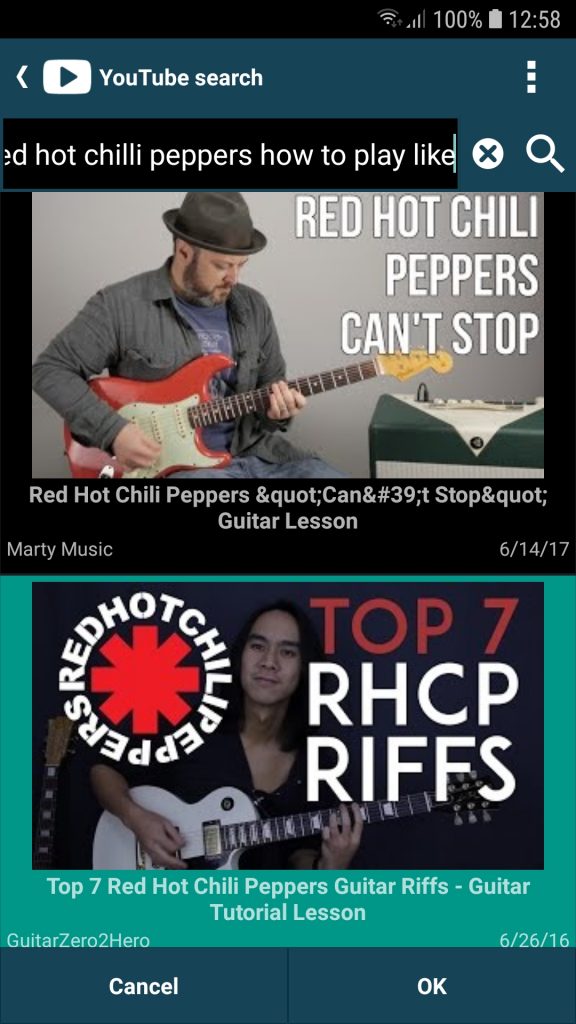
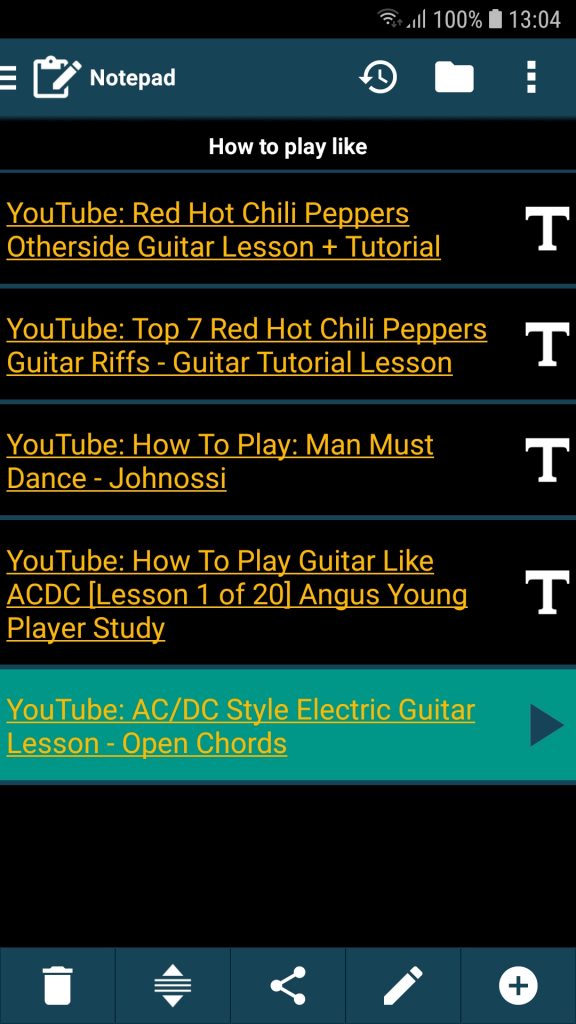
✅ Notepad: Manage your favorite YouTube videos in the Notepad. Use the menu ‘Link -> YouTube’ in the edit screen to add links to YouTube videos
✅ Audio-, video and YouTube-search: Use voice recognition to enter the search term
✅ Backup: Save multiple backups at once by sending them to a save place
✔ Other changes and fixes
❀ Special thanks to Fausto Hernandez, Ginger Hawkins and Victor Osaka for their contribution to this version
✅ Set list: ▫ Edit duration, key, tempo and time signature for PDFs and images ▫ Edit duration for notes and breaks ▫ Option to fade in the key, time signature, BPM and duration for the set list entries ▫ Duration of the set list is automatically calculated by the duration of the songs
▫ ‘Break’ screen with countdown timer. The timer is automatically started if the set list setting ‘Auto start’ is activated ❗ Edit set list information is now possible by menu
✅ Songbook: Option to refresh Androids MediaStore if audio or video file could not be found
✅ Scales: Option to change scale without changing the key
✅ New instrument: Waldzither with predefined 12 tunings
Standard
Barock
Bass
Basszither
Descant
Guitar
Piccolo 1
Piccolo 2
Tenor 1
Tenor 2
Völkel
✅ New chord type 7/b13
▶ There is a new songbook video: https://youtu.be/BCd8yJ7Nxb4
? Share lists: Some share links made problems and couldn’t be imported
? Scales: Fixed update TAB and fretboard view after scale change
? Table of Contents: Preview prevented the selection
? Table of Contents keeps selection when entered again
✔ Other changes and fixes
❀ Special thanks to Brooks Van Buren, Carlos G Santos, Dirk Klamerek, Eric Gump, Rob D. Schaefer and Santi Chacon for their contribution to this version
⭐ Songbook enhanced with a contextual menu to make things much faster: ▫ Edit the song in the songbook itself without the detour through the edit screen ◾ Mark blocks like chorus or bridge to highlight them with the color of your choice ◾ Insert and delete scroll breaks ▫ Select a chord that is not recognized and create a custom chord ▫ Translate the selected text into your language ▫ Copy the selected text to the clipboard ▫ Use a ‘long press’ on the song text to get the contextual menu ✅ Scroll breaks: ▫ Scroll breaks are now visible and represented by a grey line ▫ Tap on the grey line to change the duration of the scroll break
✅ Restore from file: Backup got a new menu item to select a backup file via the file explorer
▫ Video player ◾ ‘A-B repeat’ to practice a special section in a loop ◾ Accelerate or slow down the playback speed and practice at a slower tempo. It affects the video play speed as well as the scroll speed ◾ Changed size of the player is restored
▫ Scale factor: ◾ To change the default text size ◾ Lets you share songs between devices with different sized displays without having to adjust the text size with the pinch gesture in each case
▫ ‘Add song to set list’ lets you specify to which set list the song is added ▫ Open attached songs in emails directly in the Songbook ▫ Internet search: Use voice recognition to enter the artist/song ▫ Player is automatically visible, if audio, drum pattern, video or Youtube video changes ▫ Easier adjustment of slow manual scroll speed ▫ Scroll break directive ({x_sccrd_sbr}) can now be used in manual scroll mode
✅ Table of contents: Use voice recognition to enter the search term
✅ Chord dictionary: improved integration into ‘Choose chord’ screen
❗❗ Set list behavior change: Metronome isn’t an automatically selected player anymore
? Drum machine: Crashed with active timer in background mode ? Scale fix: Open diatonic chords from scales screen ? Timer fix: Active timer opened practice screen instead of drum machine or chord progression
✔ Other changes and fixes
❀ Special thanks to Christian Jaydn, Christophe Doveil, David Naylor, Emilio Polog, Henk Oostrom, Mario Guggenberger and Zach V. Simmons for their contribution to this version
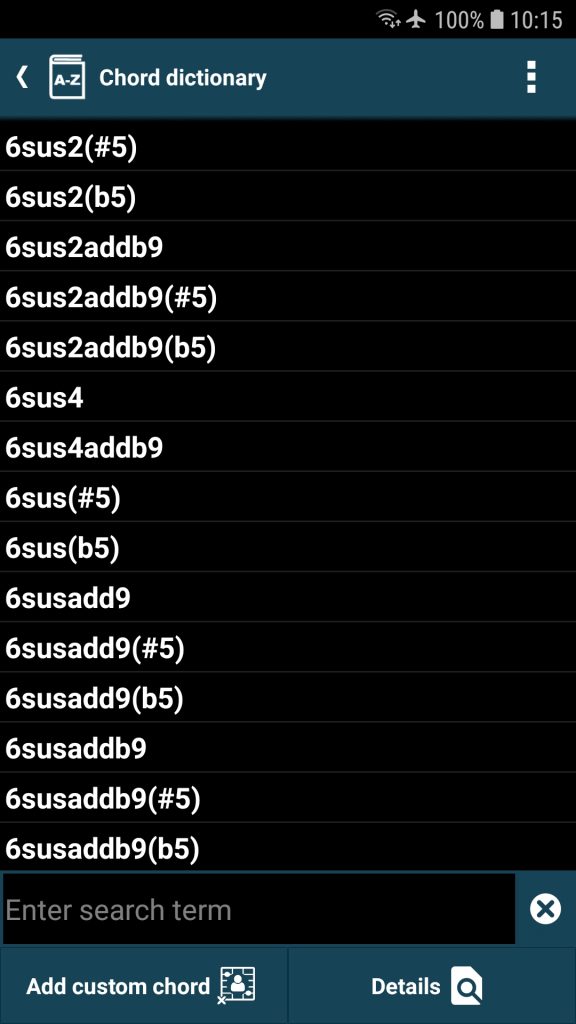
⭐⭐⭐ Chord dictionary ⭐⭐⭐ ▫ The chord dictionary lists every possible chord without exception ▫ Add any chord as ‘custom chord’ into smartChord to be used in every feature e.g. the songbook ▫ Get details for any chord ▫ Get every possible voicing for every tuning and every instrument
✅ Songbook allows chord names that contain brackets ()
✅ Instrument favorites: New setting to define your favorites
✅ Custom chord: Fingering favorite is automatically defined when creating a custom chord
✅ Arpeggio: Menu item to switch to the Fretboard Explorer
✅ Tuner and Pitch Pipe: Tap on the instrument head to switch the instrument
? Songbook fix: Replace chord keeps original chord positions
? Chord name fix: Range slide didn’t adjust when capo was removed from the tuning
✅ Other changes and fixes
❀ Special thanks to Edgar Millena, Emilio Polog, Gian Müller, Henry Gerbrandt, Jeffrey Pina, Leopold Müller and Martin P. Daniels for their contribution to this version
⭐ Privacy improvements to protect your data ▫ Need for general external storage access removed. The permission is now requested if it is needed (e.g. file search, import, export) ▫ Automatic backup does not need storage permission anymore. Backup files are migrated to the new Android 11 app folder structure ▫ Notepad does not need storage permission anymore. Audio files are migrated to the new Android 11 app folder structure ▫ New option to enable/disable automatic backups ▫ Navigation menu entry to the File Explorer ▫ smartChord uses now the new folder structure from Android 11 ◾ New: /storage/emulated/0/Android/data/de.smartchord.droid/files ◾ Old: /storage/emulated/0/smartChord ◾ ‘0’ can differ on each device ▫ For more information please see: ◾ https://www.neowin.net/news/android-11-the-new-privacy-and-security-features-to-know-about ◾ https://www.androidauthority.com/android-11-privacy-1161814 ◾ https://thehackernews.com/2020/09/android-11-security-privacy.html
⭐ Fretboard Explorer as a customizable learning interface ▫ Focus on the things that are important at the time ▫ Focus on a chord or a scale ▫ Disable strings and notes ▫ Limit the fretboard range ▫ Choose the key of the chord or the scale ▫ Choose the info on the fretboard: ‘Notes’, ‘Intervals’ or ‘Relative notes’ ▫ Choose between 40 instruments and thousands of tunings ▫ Choose between 20 color schemes ❀ Very special words of thanks go to Matthew Faris. He convinced us to implement his idea of a Fretboard Explorer, accompanied the development and made this very comprehensive video: https://youtu.be/GQPrWGVPhKQ. It was a pleasure to work with him.
✅ Scale fretboard screen: Spinner to change the key of the scale
✅ Fretboard trainer: All instruments are listed when configuring a new quiz
✅ Notepad: New menu item to show the recorded audio files in the file explorer
✅ Backup: New menu item to show the backup files in the file explorer
✅ File explorer: Button to share files
✅ Fretboard view: Color scheme is also applied if ‘fretboard info’ setting is ‘fingering’
? Songbook fix: Double click in song view to start or stop
? Chord Progression fix: Chords were removed on changing the instrument or the tuning
✅ Many other changes and fixes
❀ Special thanks to Bryson Jack, Dmitry Arkhipov, Hotte Schmiegelt, Javier Martínez, Matthew Faris and Prem Lojong for their contribution to this version
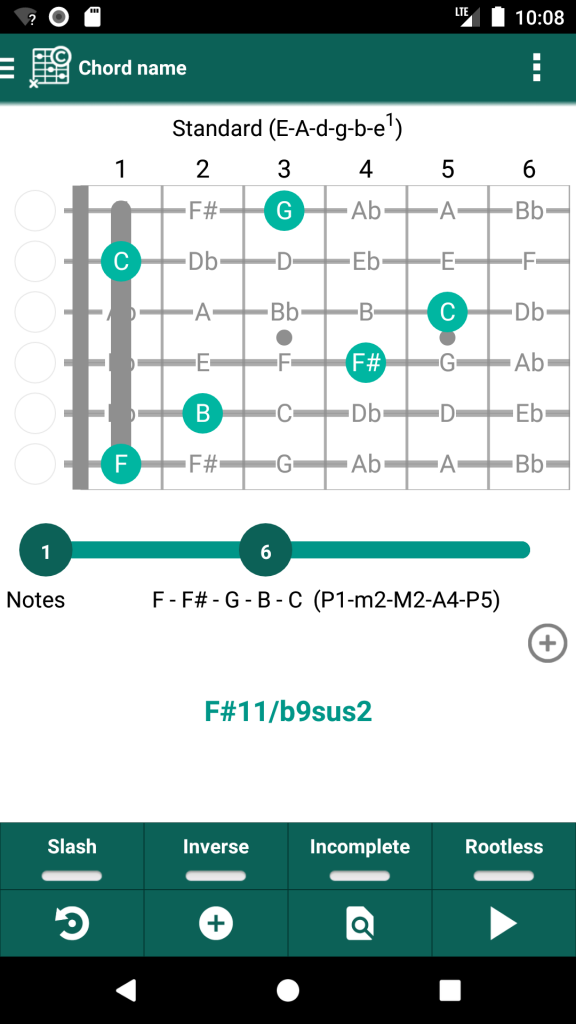
⭐⭐⭐ ‘Chord name’ is now complete (aka reverse chord finder) ⭐⭐⭐ ▫ Get the chord name for every possible voicing, every tuning and every instrument ▫ Shows intervals beside the notes ❗ New sort order: no distinction between the normal, inverse, rootless, slash and incomplete chords ❗ Initially, the strings are muted now ▫ Add a chord type to the favorites ▫ Add a fingering to the fingering favorites ▫ Add a chord to the chord progression ▫ Add a chord to the playground ▫ Create a custom chord if you prefer a different name ▫ Request a chord, if a chord type is missing
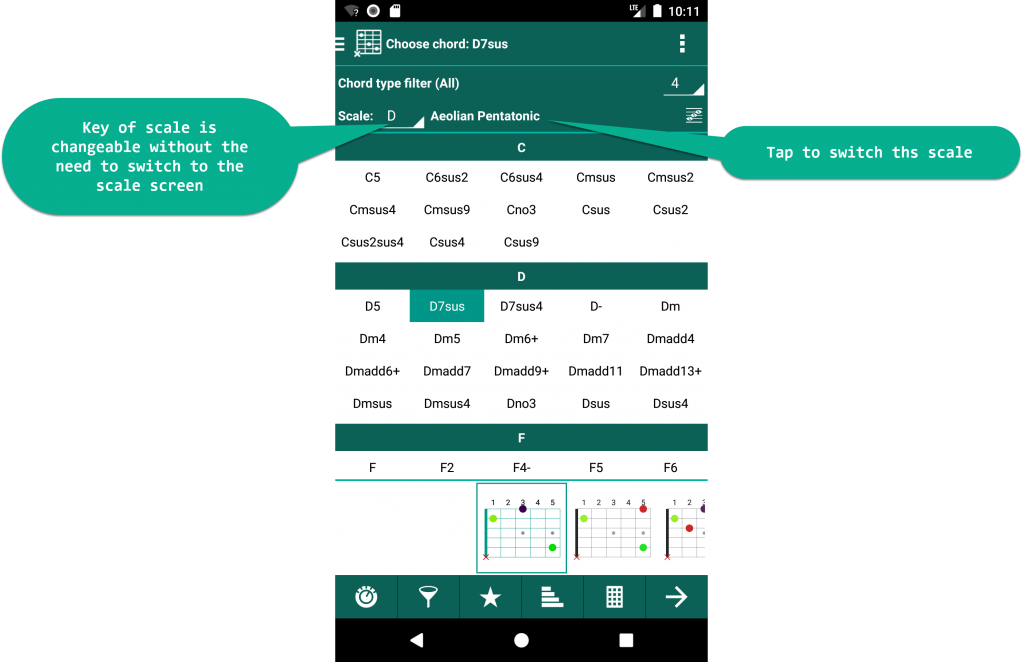
✅ ‘Choose chord’ screen: Key of scale is changeable without the need to switch to the scale screen
❗❗ We had to switch to a new Google Play Billing Library version ▫ Please contact us if you have trouble accessing your paid features: bug@smartChord.de
❗❗ Major bug fix: Simplify chords sometimes showed a blank screen
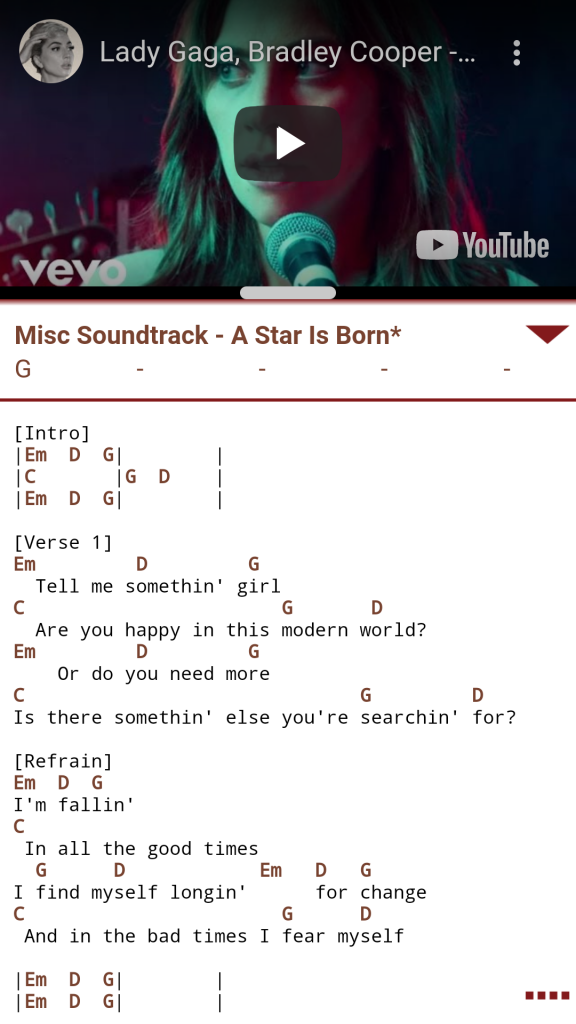
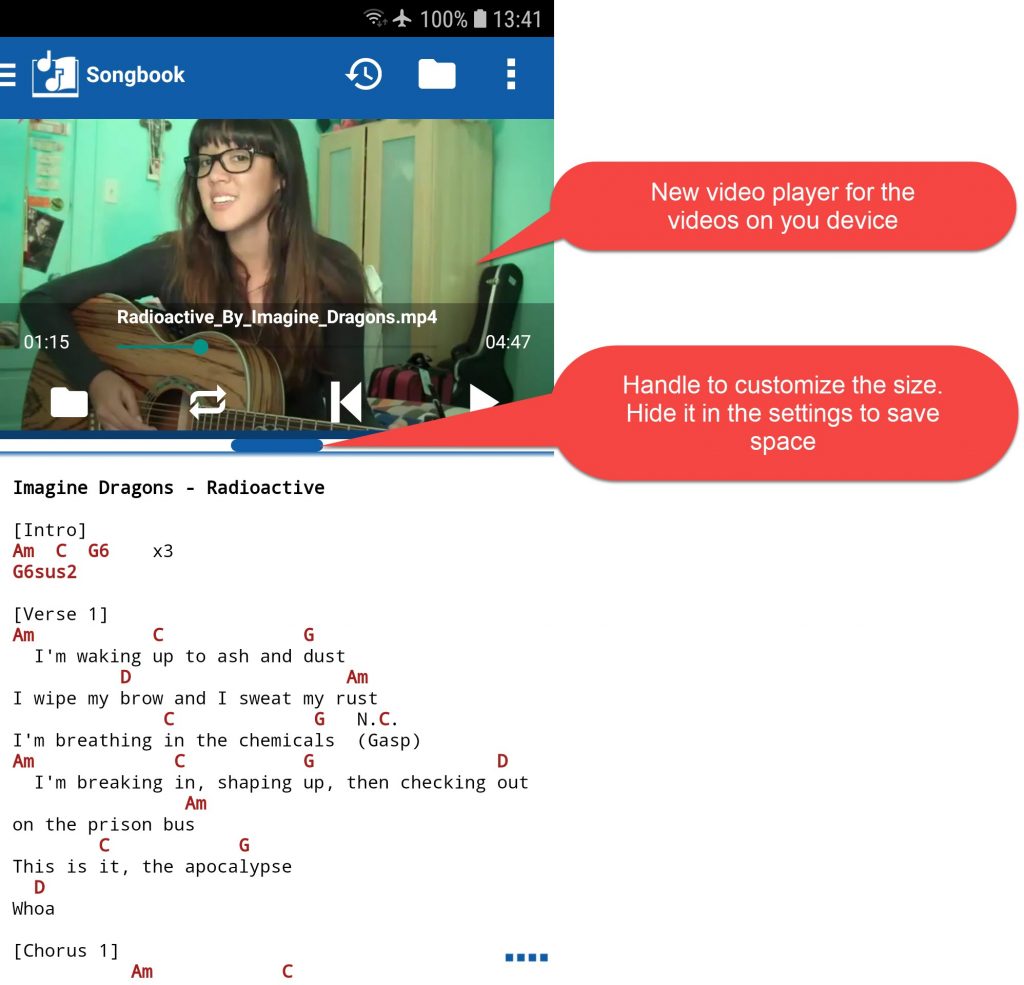
⭐ Songbook supports local videos ▫ Embedded video player to play your videos ▫ Well integrated with the other players (Drum Machine, Metronome, Audio- and YouTube-player) ▫ Comfortable search to find the videos for your songs on your device ▫ Duration of a song is automatically set by the duration of a video ▫ New directive to link the video file {x_sccrd_vf:}
⭐ Drum machine: ▫ 508 drum patterns: You shared your drum patterns with us. We have collected them and made them available for download
✅ Handlebar to customize the size of the video- and YouTube-player ▫ Setting to hide the handlebar to save space on a small smartphone screen
✅ Songbook: Improved logic to select the player for a song (Drum Machine, Metronome, Audio-, Video- and YouTube-player)
✅ Songbook workaround: Ultimate-Guitar provides sometimes incomplete songs
✅ Songbook fix: Uses search engine from settings again
✅ Timer fix: Plays sound again when timer was in background
✅ Other changes and fixes
❀ Special thanks to Andy Hayloft, Ernie Cacciaglia, Fernando Nahuel Angélico, François Amaral, Glenn Homes, Harry Fehlemann, Henning Otte, Knut Beese, Leopold Müller and Sean Hartigan for their contribution to this version
✅ Select a song by a MIDI device ▫ Songbook switches your songs on MIDI commands SongSelect ▫ New directive to define the song number {x_sccrd_midiSongSelect:<number>}
✅ Control a MIDI device from the Songbook ▫ New directives to add MIDI commands which are sent to a MIDI receiver when ◾ opening a song: {x_sccrd_midiOpen:<midiCommand1>, <midiCommand2>, …} ◾ closing a song: {x_sccrd_midiClose:<midiCommand1>, <midiCommand2>, …} ▫ New setting to define the MIDI receiver
✅ New ‘MIDI’ setting category, which embraces the MIDI settings valid for the ‘Songbook’ and ‘Set list’ ▫ MIDI device which sends events to control the ‘Songbook’ and ‘Set list’ ▫ Mapping between the MIDI events and the actions to control the ‘Songbook’ and ‘Set list’ ▫ MIDI device which receives commands from the ‘Songbook’ ▫ New option to deactivate MIDI connections
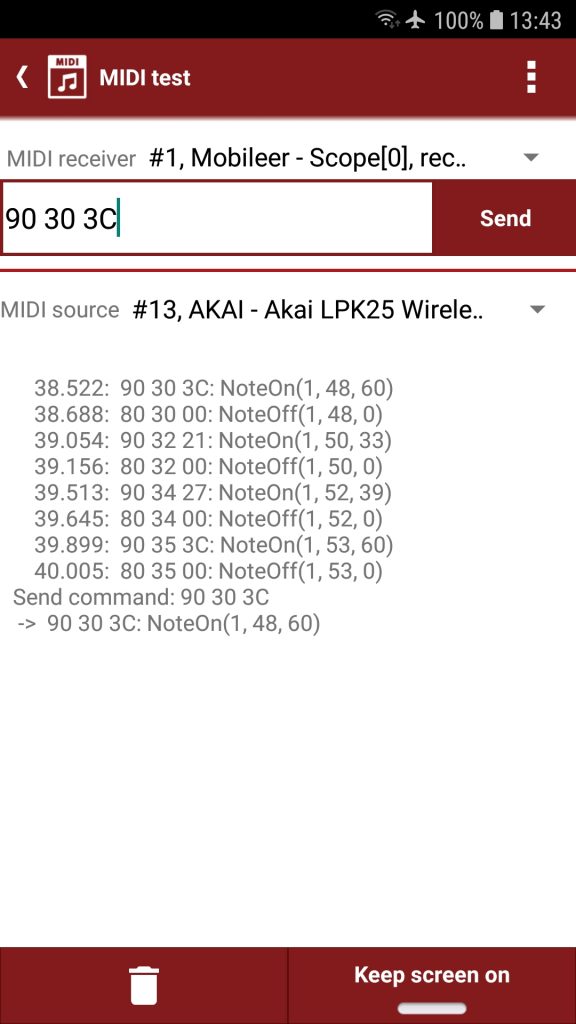
✅ New simple ‘MIDI test’ tool. It shows the MIDI messages received from a MIDI device or allows to send messages to a MIDI device