smartChord V10.16.1
🐞 Songbook internet search
✔ Other minor fix
❀ Special thanks to Krisztián Vida and Mario Ravlić for their contribution to this version
🐞 Songbook internet search
✔ Other minor fix
❀ Special thanks to Krisztián Vida and Mario Ravlić for their contribution to this version
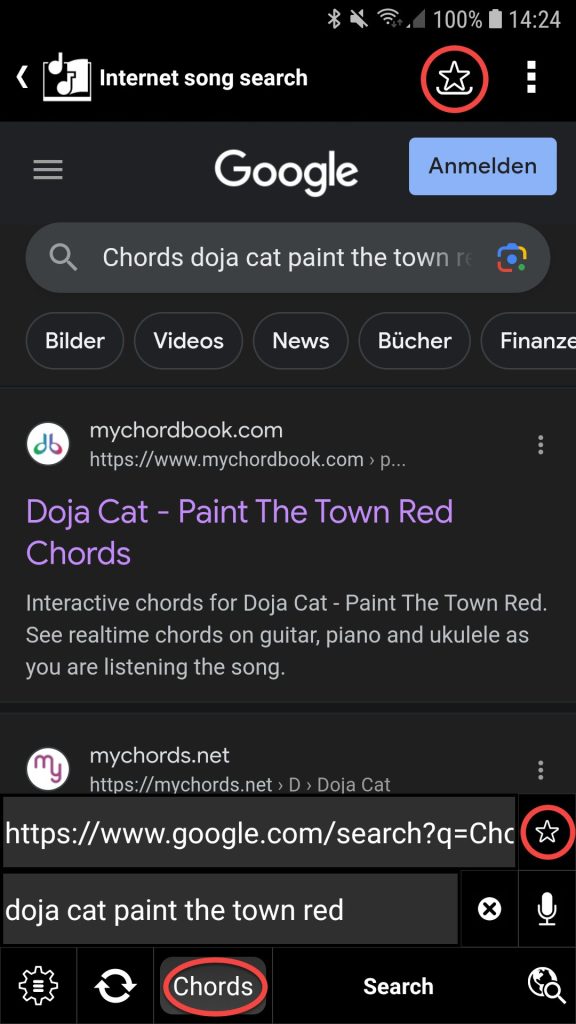
⭐ Songbook: song search improved
◾ Optimized song detection
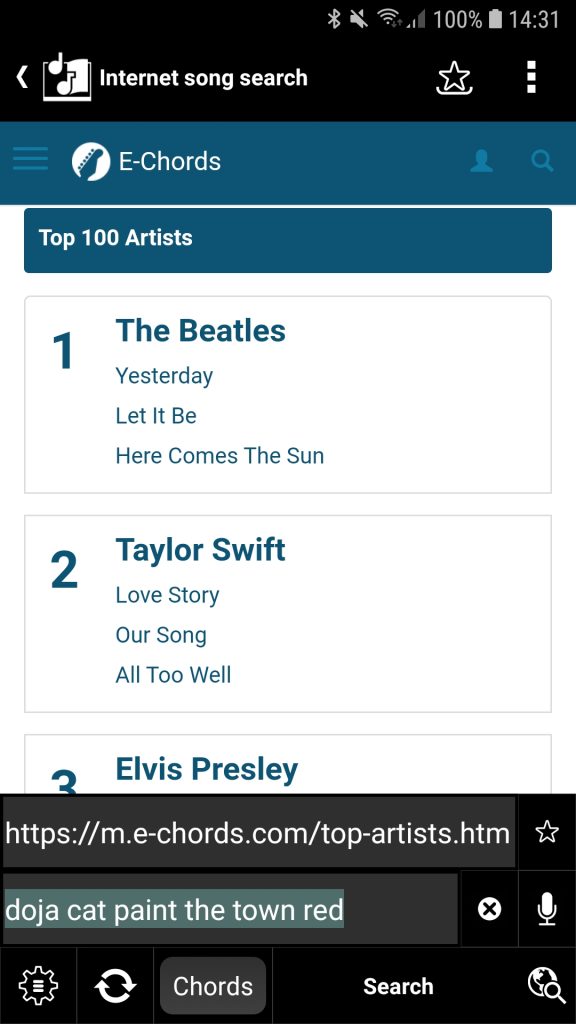
◾ Bookmarks for your inspiration
▫ Predefined list of song pages with the top-rated songs and artists
▫ Screen to maintain your own bookmarks with your favorite song pages
◾ Progress bar shows when song recognition is complete
◾ ‘Reload’ button, in case the song recognition does not work the first time
◾ Quick switch to search for ‘Chords’ or ‘TAB’ (tablature)


✔ Documentation:
◾ List of recently created or modified articles so you can stay up-to-date
◾ Getting started with the Songbook
🐞 Songbook: Workaround for Android before 6.0
🐞 Table of Contents: Wrong filter preset
✔ Minor improvements and fixes
❀ Special thanks to Alberto Torres Gutiérrez, François Amaral, Harry Fehlemann, Jonathan Olson and Keith Layton for their contribution to this version
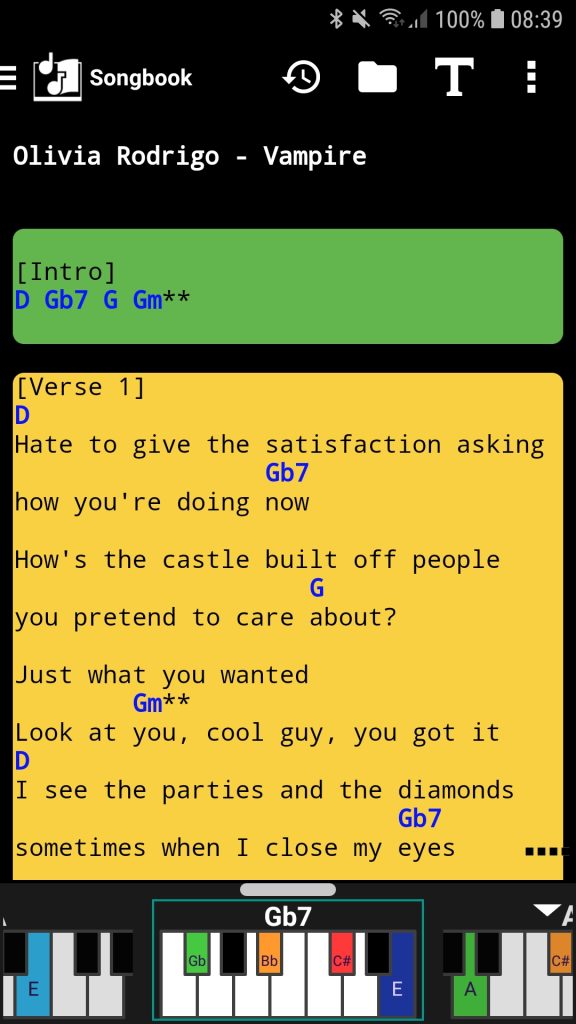
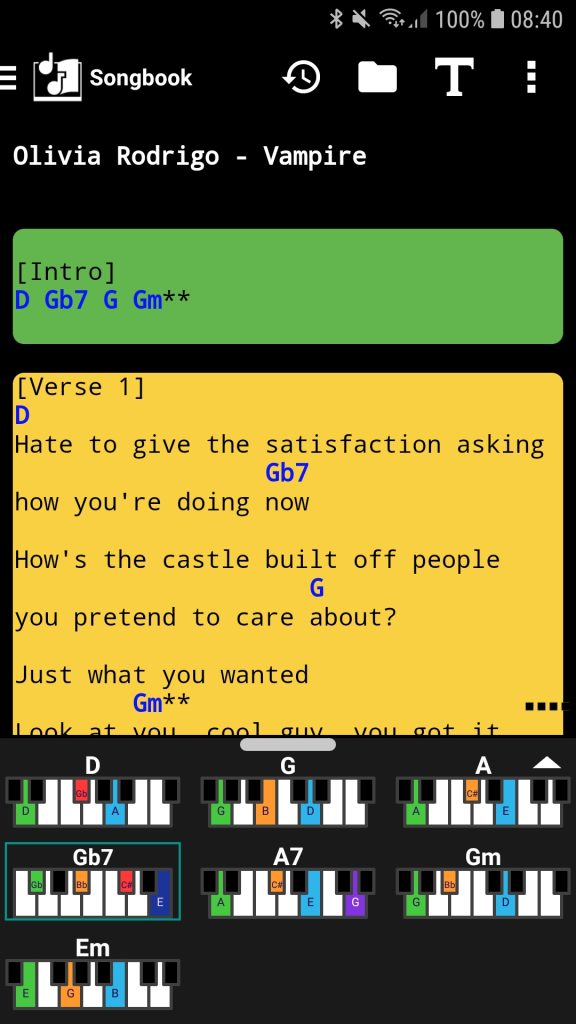
⭐ Songbook for piano:
◾ Get the piano chord charts with the fingerings for the song’s chords
◾ Get the piano chord either in a zoomable grid or horizontally scrollable gallery
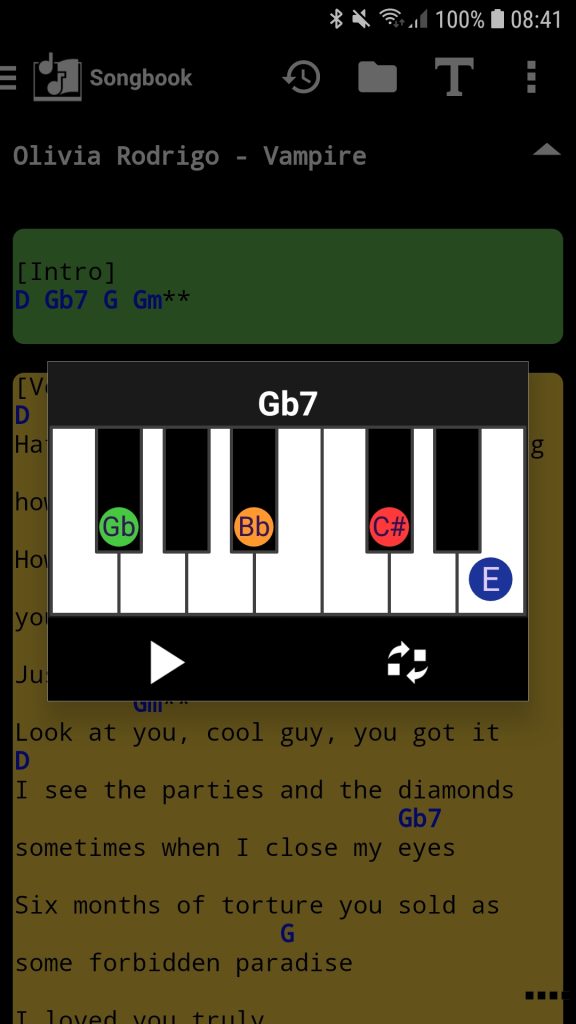
◾ Clicking on a chord in the song text opens a dialog with the piano chord chart
◾ Possibility to change the chord in the song
◾ Clicking on a piano chord chart plays the chord
◾ The option ‘Piano mode’ activates the ‘Songbook for piano’
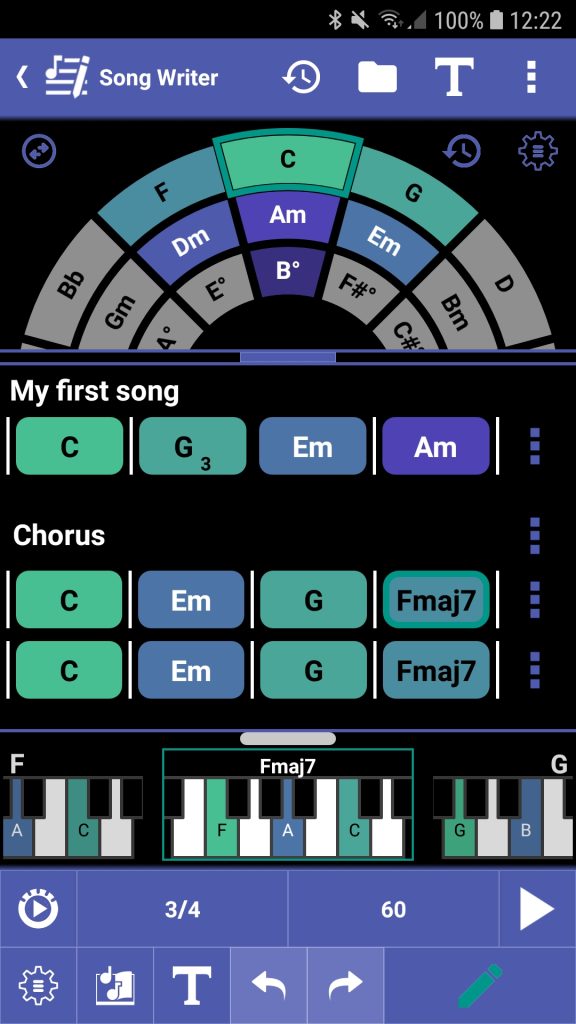
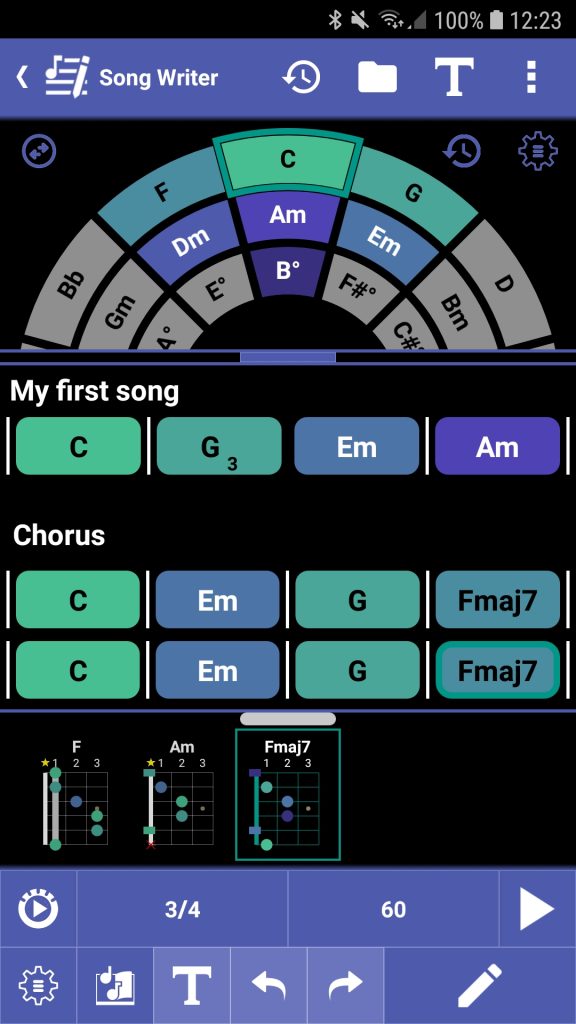
⭐ Song Writer:
◾ Get the piano chord charts with the fingerings for the song’s chords
◾ Clicking on a piano chord chart plays the chord
◾ The option ‘Piano mode’ shows the piano chord chart in the chord gallery
✔ Piano: Fine-tune the number of keys with +/- buttons

✔ Chords: Clicking on the piano plays the chord
✔ Chord details: Clicking on the piano plays the chord
✔ Circle of fifths:
◾ Clicking on the chord diagram plays the chord
◾ Clicking on the piano plays the chord
✔ Instrument translator:
◾ Clicking on the chord diagram plays the chord
◾ s.mart Instrument Translator is released on Google Play
✔ Scale screens: Menu items to show the scale in the playground or piano
🐞 Chord Progression: Transpose works again
🐞 Notifications on Android 13 and newer
✔ A lot of other improvements and fixes
❀ Special thanks to Andreas Arbeit, Cristian Rauta, Marcos Giovane, Peter Fresser and Somrata Sarkar for their contribution to this version
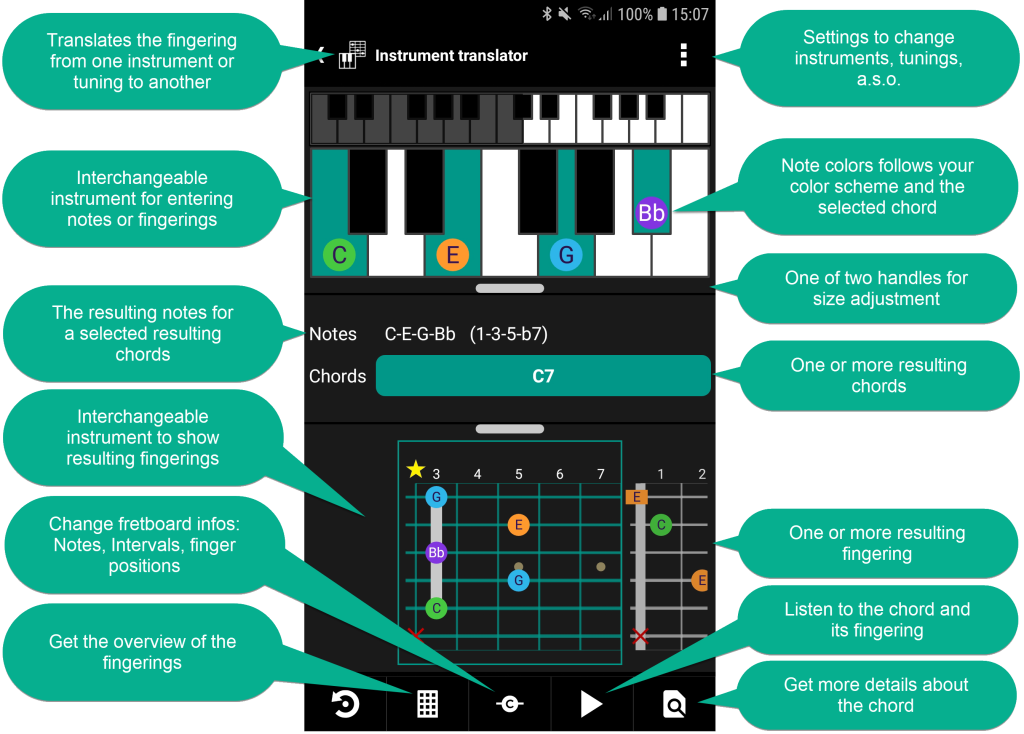
⭐ Instrument translator:
◾ Translates the fingering from one instrument or tuning to another instrument or tuning
◾ It’s easing the learning process for musicians who are proficient in one instrument and want to learn or switch to another
◾ It allows you to enter the notes or fingering on the instrument you are familiar with
◾ The reverse chord finder finds the resulting chords for the notes entered
◾ The chord dictionary presents the possible fingerings for the resulting chords
◾ It translates from one of the approx. 40 supported string instruments and the piano to another
◾ It supports any tuning
◾ The reverse chord finder is configurable and also looks for inversions, slash chords, incomplete or rootless chords
◾ The note colors follow the color scheme and the selected chord
◾ Documentation: https://smartchord.de/docs/instrument-translator/instrument-translator-overview/
🐞 Songbook internet search: Workaround to handle corrupt song pages on cifra
🐞 Songbook: Scrolling on rare conditions
🐞 Chord name: Not all note names were visible without a selected chord
🐞 Play chord sounds in some screens
✔ A lot of other improvements and fixes
❀ Special thanks to Andreas Arbeit, Daniel Ruíz Mojica, Marcos Giovane, Martin Wiesenhofer, Peter Fresser and Yves Sancho Oliver for their contribution to this version

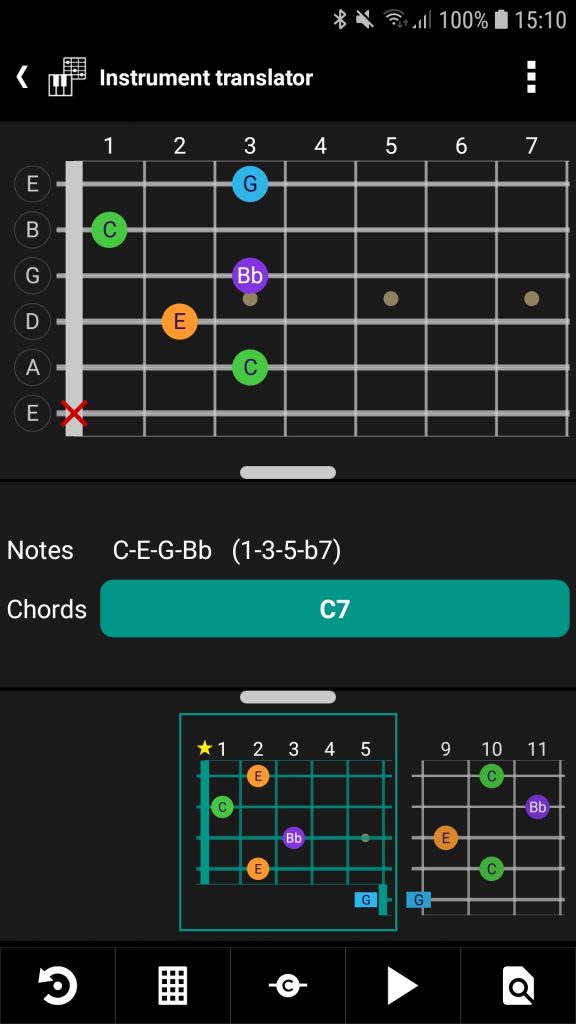
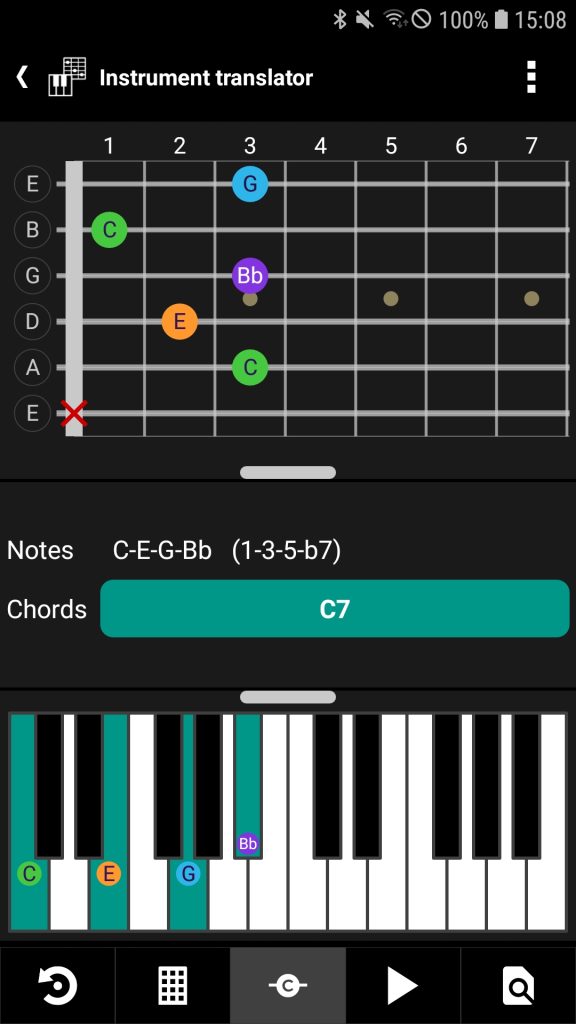
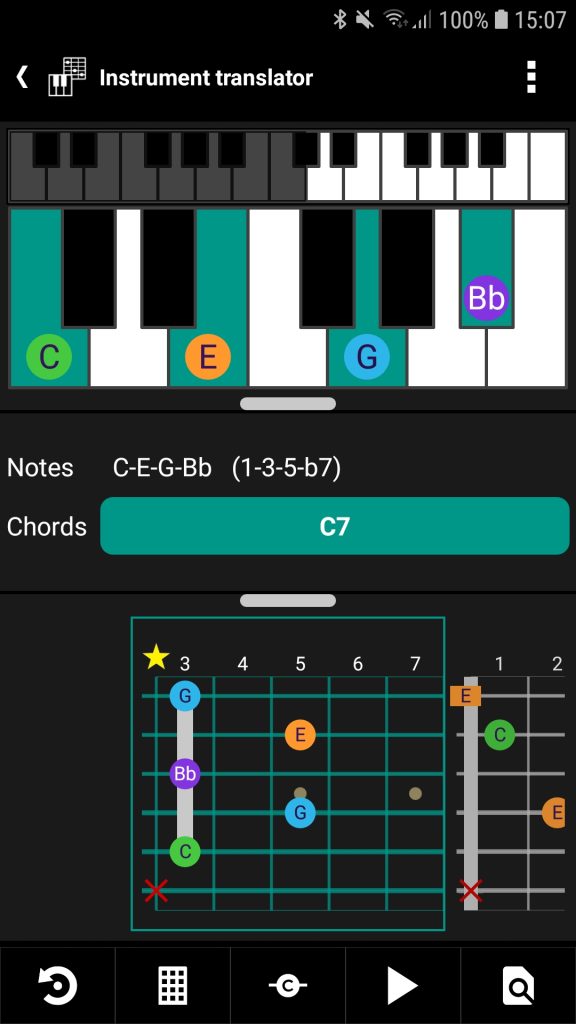
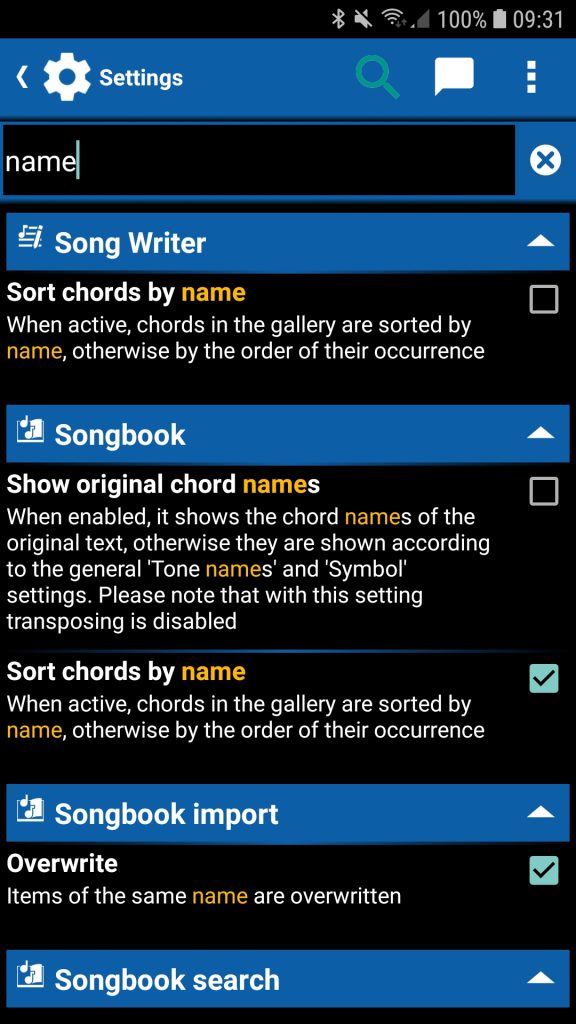
✔ Settings are searchable. The keyword search provides a quick overview of the available settings
✔ Chord name:
◾ Fingering colors follow the color scheme binding for the selected chord
◾ Optional notes of a chord are marked in red
✔ Chord in mode ‘Scale’: Click on the scale name to change the scale. Click on the scale icon to open the scale in the scale tool
✔ Songbook: Chord gallery new long-click option to add or to remove the fingering from favorites
✔ Set list: Layout optimizations
✔ New documentation:
◾ General appearance: https://smartchord.de/docs/general/appearance/
◾ Piano: https://smartchord.de/docs/piano/piano-overview/
🐞 Songbook: Automatic scroll speed after editing a songtext
🐞 Songbook: Key Identifier and Scale Name called with the wrong chord order
🐞 Songbook internet search: Workaround to handle corrupt song pages on chords-and-tabs.net
🐞 Categories have been lost when you save a song that is running the set list
🐞 Rootless chords didn’t enforce to have the bass note in slash chords
✔ A lot of other improvements and fixes
❀ Special thanks to Alberto Torres Gutiérrez, Marcel Brouillet, Rob D. Schaefer, Stefan Manns, Thomas Fiebich and William G. Jordan for their contribution to this version
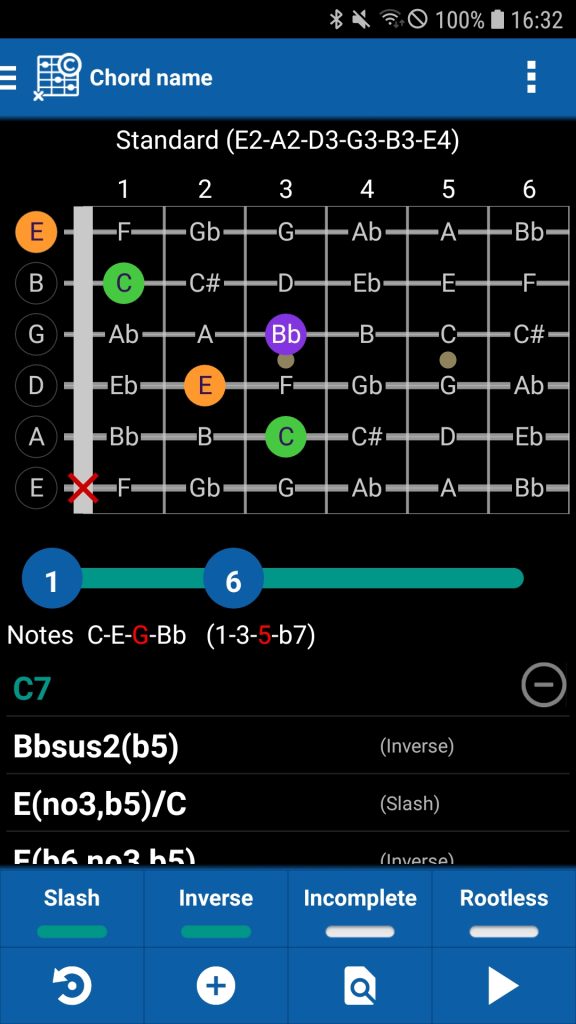
✔ Chord diagrams: Option to mark open strings with a rectangle
✔ Fretboard Trainer:
◾ Possibility to select single scales with tonic
◾ More scale selection possibilities (https://smartchord.de/docs/scales/scale-selection/)
◾ Optimized layout for large answer lists
✔ Set list:
◾ Import is possible from an arbitrary folder on the device
◾ Larger font
✔ Piano:
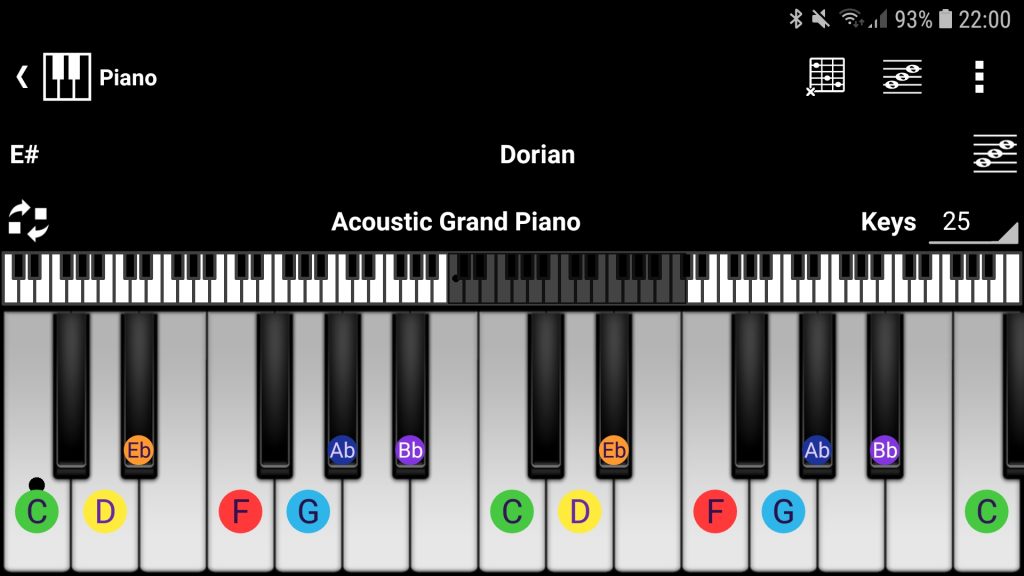
◾ Possibility to show the note names on all keys belonging to a chord or scale
◾ Possibility to change the base note of a chord or the tonic of a scale
✔ Notepad: More scale selection possibilities (https://smartchord.de/docs/scales/scale-selection/)
✔ File importer: Menu entry to set smartChords app specific folders for import
✔ We have dedicated a separate chapter to chord inversions: https://smartchord.de/docs/chords/chord-inversions/
🐞 Set list: Export and print showed a blank page when ‘No content’ was selected
✔ A lot of other improvements and fixes
❀ Special thanks to Alberto Torres Gutiérrez, Anshela Sanabria, Monkey Do, Patrick Senac, Rob D. Schaefer, Ron Rijnenberg and Somsavath Norindr for their contribution to this version
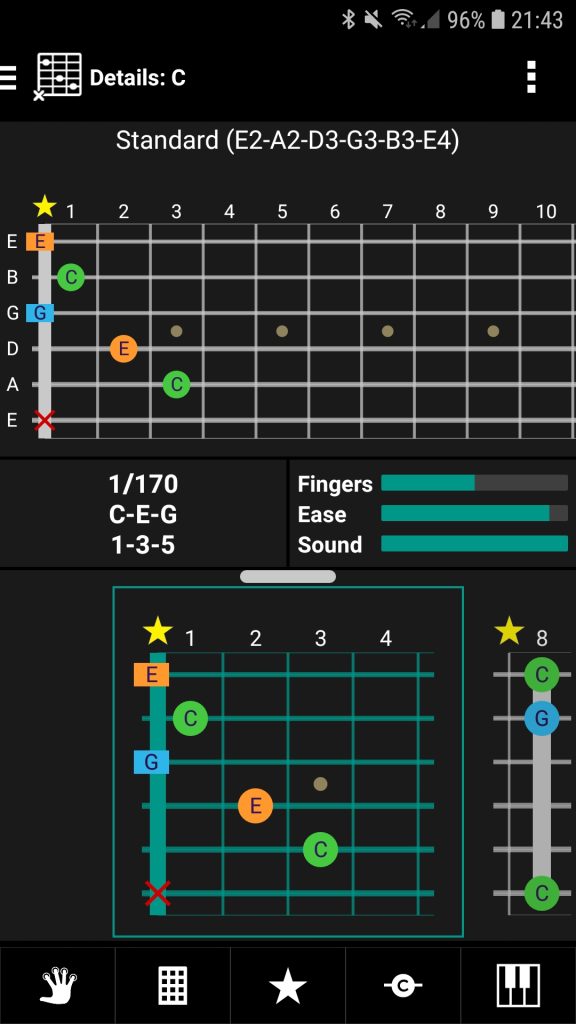
🐞 Major fixes in chord diagrams for lefties
🐞 Songbook: Workaround to handle corrupt song pages on Ultimate-Guitar
🐞 Songbook: Transposing failed in some cases after transposing several times
🐞 Set list import listed the contents multiple times
🐞 Fretboard Trainer: Training mode ‘Lab after Lab’ asked correct answered notes too often
✔ Other minor fixes
❀ Special thanks to Jon Hoekstra, Laurent Haricot, Victor Rodt and Vittorio Bernardini for their contribution to this version
✔ Songbook:
◾ Optimized print and share
◾ Possibility to print and share a song with one of the Songbook color schemes: Light, Dark, Printout
◾ Workaround to handle corrupt song pages on Ultimate-Guitar
◾ Workaround to handle duplicate song texts on Ultimate-Guitar
✔ Set List:
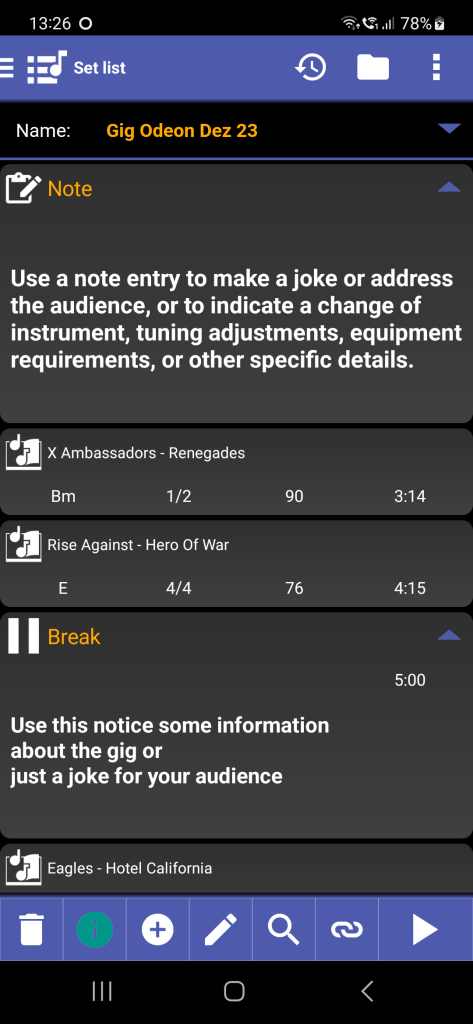
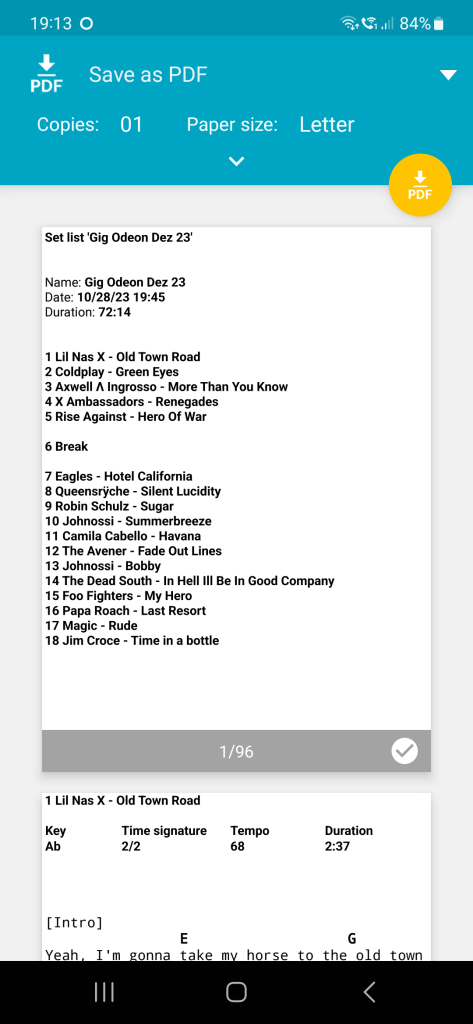
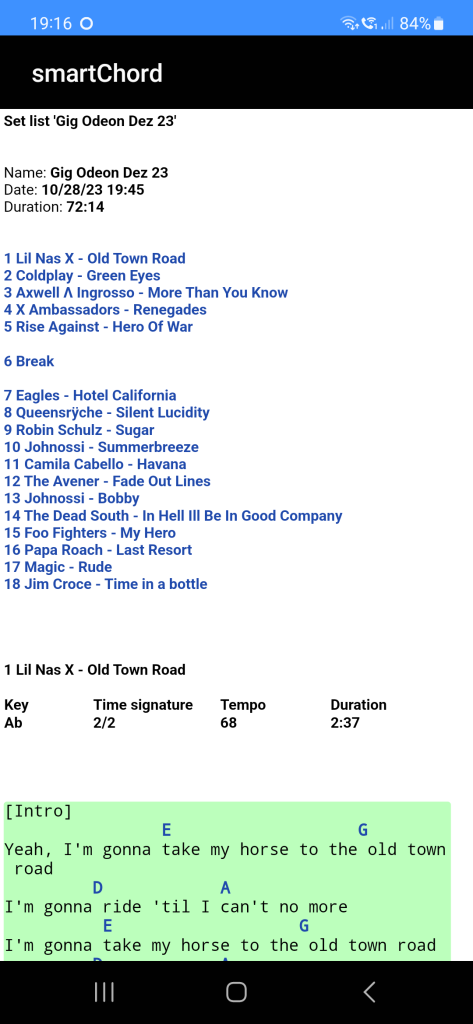
◾ Add Notes as set list entries. Use a note entry to make a joke or address the audience, or indicate a change of instrument, tuning adjustments, equipment requirements, or other specific details
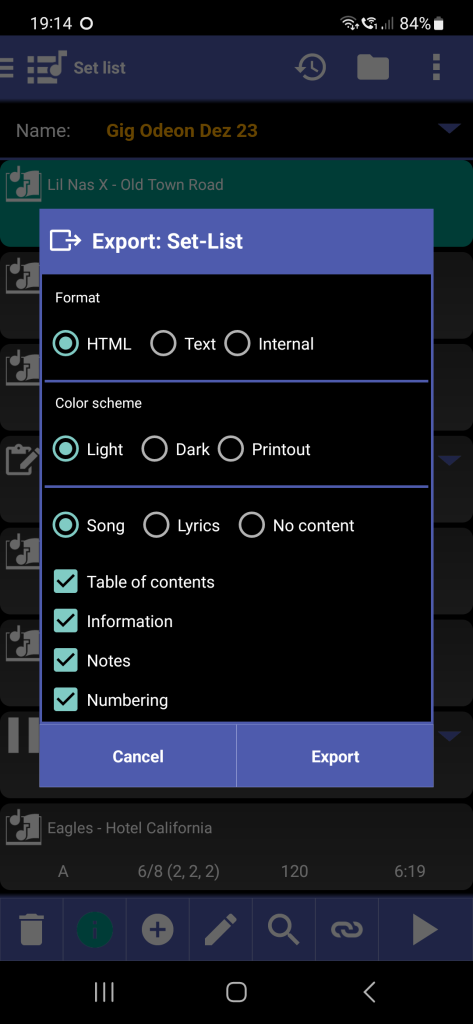
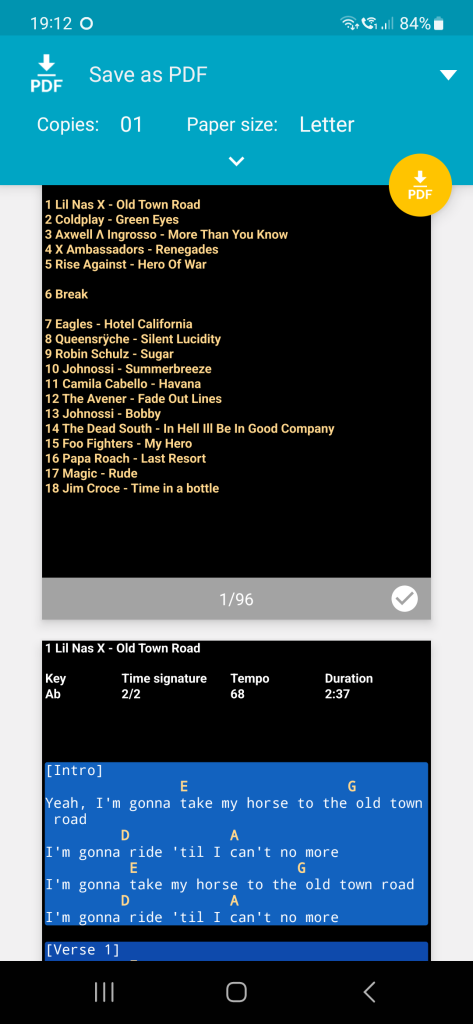
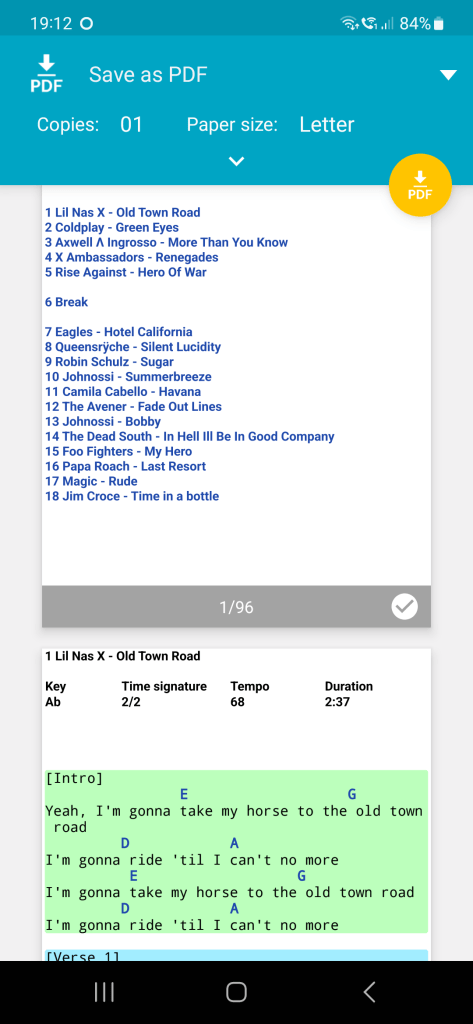
◾ Optimized set list export and print
◾ Export ‘Internal’ does include now the images and PDF files beneath the songs
◾ Menu item to print a set list
◾ Possibility to export and print a set list with the Songbook color schemes: Light, Dark, Printout
✔ Editor: Text capacity increased
✔ New documentation:
◾ Scales
◾ Set List
◾ Song Analyzer
◾ Fretboard Explorer
◾ Key Identifier
◾ Lyrics Pad
🐞 Notepad: Link to songs opened Chords screen instead of Songbook. Link to Chords screen uses now protocol ‘scrd’: Chord: F5
✔ A lot of other improvements and fixes
❀ Special thanks to Burkhard Brodda, Jon Hoekstra, Jürgen Schulz-Ohlberg, Keith Layton, Konstantin Paus and Roy Sanchez for their contribution to this version
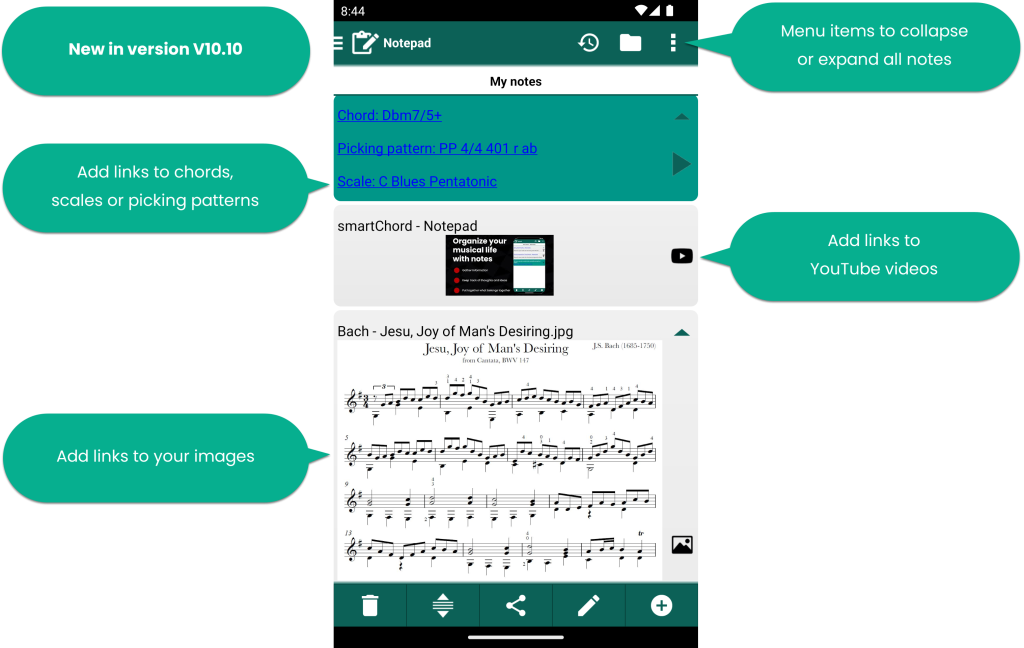
✔ Notepad:
◾ Add Images
◾ Add YouTube videos
◾ Menu items to collapse or expand all notes
◾ New editor menu items to add links to chords, scales, picking patterns
✔ Scale:
◾ New button to define scale favorite
◾ More scale favorites visible on large screens
✔ Songbook: internet search optimized
🐞 Editor made problems on some devices (song editor, lyrics pad, song writer, notepad)
🐞 Scale favorites: Drag’n’drop works again
✔ Other improvements and fixes
❀ Special thanks to Alberto Torres Gutiérrez, Anthony Steele-Perkins, Arjen Westdijk, Glenn Holmes, Jonathan Olson, Konstantin Paus, Lynne Whitehorn, Marcello Casali, Nick Gassman, Paul Schoonderwoerd and Victor Osaka for their contribution to this version
✔ Notepad:
◾ New way to organize notes for different items
▶ Watch our video about the notepad and the notes

✔ New documentation:
◾ Notepad
◾ Fretboard trainer
◾ Piano
? Set list: Problems to add songs into an empty set list
✔ Other improvements and fixes
❀ Special thanks to John Madsen and Levin Laysor for their contribution to this version
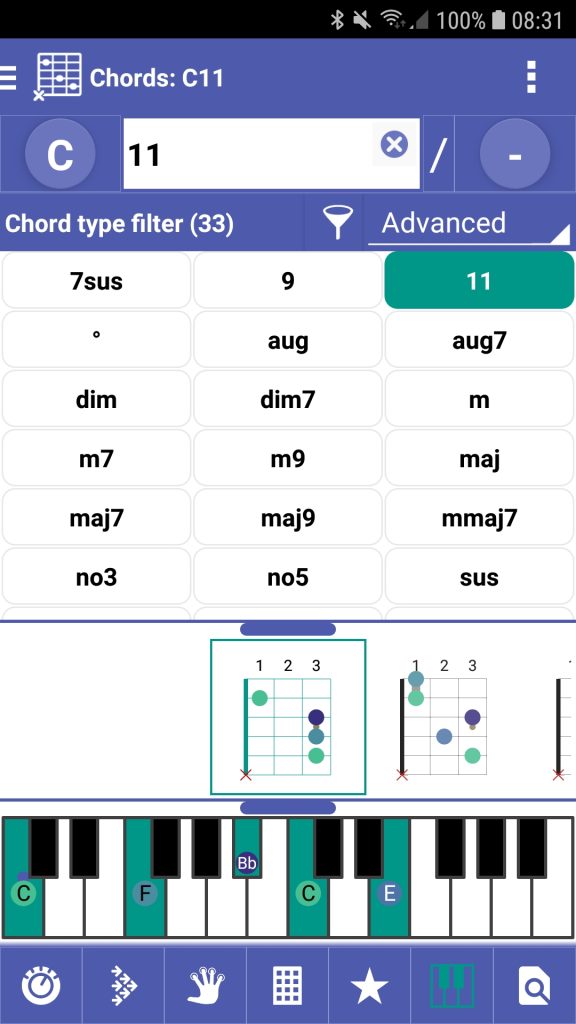
✔ Chord and Chord details: Option to display a resizable piano, which shows either the respective chord or fingering
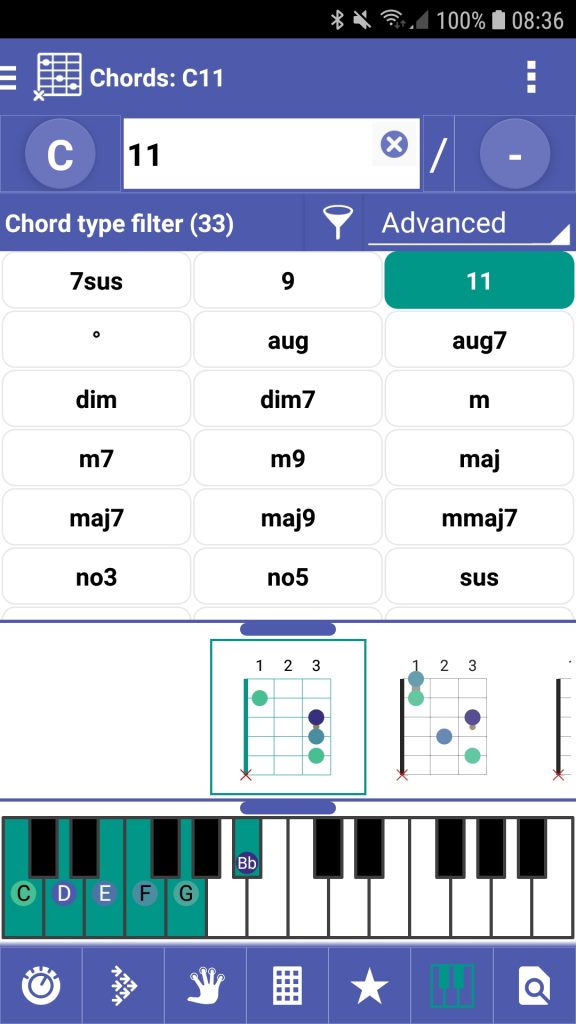
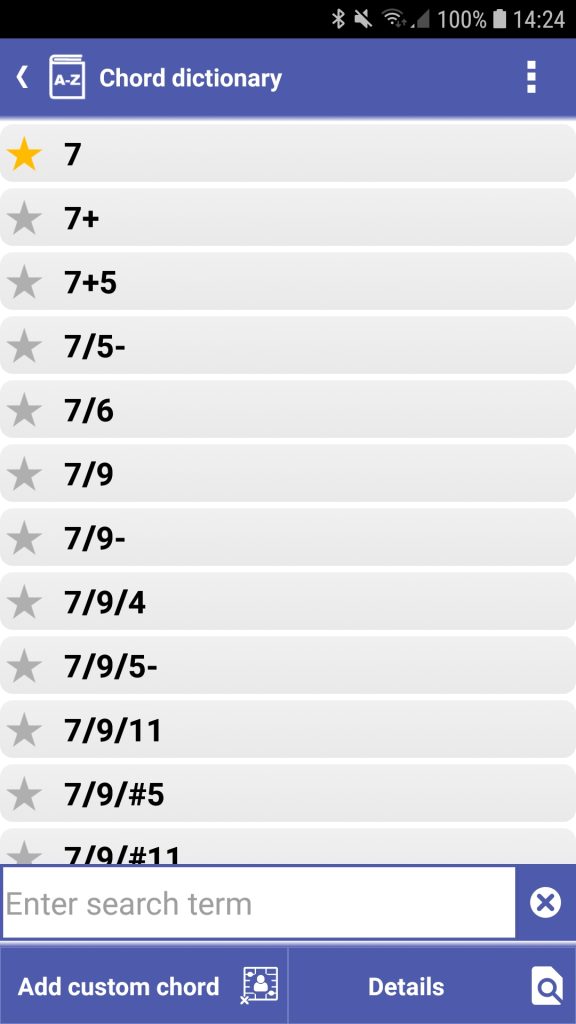
✔ Chord dictionary: Add and remove chord types from favorites
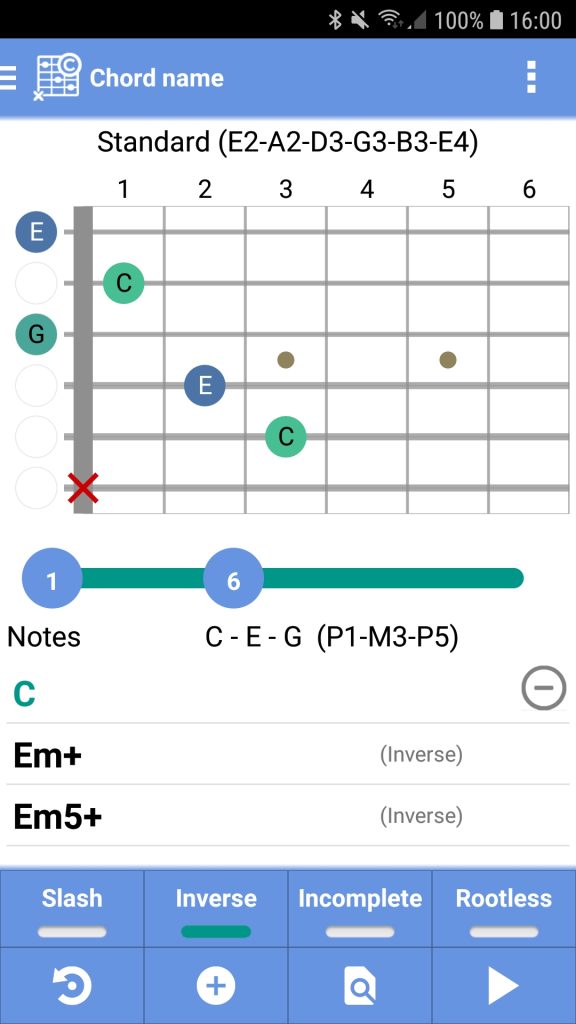
✔ Chord name: Selecting a chord name will change the note names and intervals accordingly

✔ Songbook:
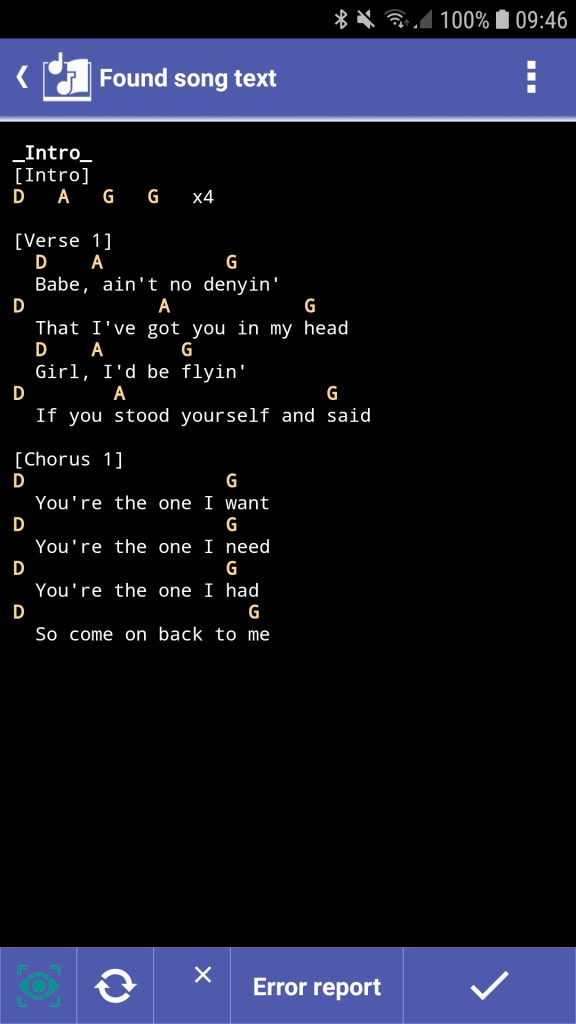
◾ Easily add songs from not supported web pages: Select the song text and use the context menu ‘Create song’
◾ The elapsed scroll time is now the time taken to reach the current line

✔ Cloud folders are sorted by name
✔ Cloud- and File-explorer: Switch to the parent folder with the back key
? Cloud- and File-Explorer: Icons visible also on bright themes
✔ Other improvements and fixes
❀ Special thanks to Alberto Torres Gutiérrez, Ginger Hawkins, Henk Oostrom, Luiz Marcos, Marcel Brouillet, Martin P. Daniels and Paolo Ventafridda for their contribution to this version
✔ Songbook:
◾ The scrolling time is displayed in the upper right corner. By tapping it you can change the duration of the song
◾ By tapping on the seconds of the scroll delay you can change it
◾ Possibility to import songs from an arbitrary folder on Android 13 and newer
? Corrections for manual scrolling and optimization for auto-scrolling
✔ Other improvements and fixes
❀ Special thanks to Abel Castilhos, Alberto Torres Gutiérrez, Dave Schneider, Davy Houpert, Henk Oostrom, Jesse Cabell, Sergio Jover, Stefan Heinze and Volker Kratschmann for their contribution to this version
✔ Metronome: Shows the total duration of an exercise with Speed-trainer
✔ Songbook: Internet song search improved for devices older than Android 8
? Songbook: Some songs could not be opened
✔ Other minor improvements
❀ Special thanks to Andrés Lopéz, Jean-Pierre Martin, Justin Billington, Rolando Chicas and Stefan Heinze for their contribution to this version
✔ Songbook:
◾ Editor colors blocks and instructions to make the song text clearer
◾ Editor appearance according to background, block and text colour settings
◾ Scroll bars are shown when scrolling so that the position of the visible text in the song is clear
◾ ChordPro annotations [] (e.g. [Coda]; see https://smartchord.de/docs/songbook/song-text-format/#articleTOC_4)


✔ Piano: Option to show scales and chords on the keys
✔ We have dedicated a separate chapter to the CAGED system: https://smartchord.de/docs/chords/caged-system/
? Songbook: Corrections for auto scroll
? Octavation corrected in some tunings
? Settings: Long setting titles were not fully visible
? Fretboard trainer: The names of the white piano keys were unrecognizable on large screens
✔ Other improvements and fixes
❀ Special thanks to Alberto Torres Gutiérrez, Aleksey Parasotskiy, Andrés López, Chris Drexler, Dr. Willi Streitz, Henk Oostrom, Mario Ravlić, Mark D Baker, Michael Fischer, Nick Gassman, Sergio Jover and Simone Sapienza for their contribution to this version
? Songbook: Scrolling no longer works for songs without a duration specified
? Circle of fifths: Legend colors were wrong when the appearance setting ‘Color scheme binding’ was activated
✔ Other improvement
❀ Special thanks to Andy Lopéz, Jesse Cabell and Ricardo Castro for their contribution to this version
✔ Songbook scroll control behavior
✔ Table of contents: Selects the last used item
❗❗ Behavior change: When you exit a feature in which you have changed the store item (like a song), you must decide whether to save or discard
? Songbook: When using ‘Replace chord’ and the song was already transposed, the new chord was not transposed
? Songbook: Internet song search had sometimes problems with artist pages e.g. on guitartabs
✔ Other improvements and fixes
❀ Special thanks to Andreas Arbeit, Carsten Bruns, Gerrit Horeis, Guy Togbenou, Hans Sta, Javier Barraza and Nick Levyn for their contribution to this version
▶ Watch our video to learn how to scroll:

? Circle of fifths: Switching the key by dragging works again
✔ Other improvements and fixes
❀ Special thanks to Gerhard Karl and Márcio Rezende for their contribution to this version

⭐ Song Writer ⭐
◾ Drag’n’drop support to easily replace chords
◾ Drum Machine integrated for parallel playback to the player
◾ Metronome integrated for parallel playback to the player
◾ The diatonic chords in the selection view are colored according to the color scheme
◾ History button to go back to the last used scales
◾ Player can also be used in edit mode
◾ Text editor allows adding the signs for rest and bar line from the menu
◾ Menu item to open the playground with the notes of the scale highlighted
✔ Chords screen: The chords in Scale mode are colored according to the color scheme
✔ Chord colors updated after scale or key change
✔ Scale-circle: History button to go back to the last used scales
❗❗ The hash sign (#) is now allowed in names
? Song Writer: Size of Circle of Fifths is limited
? Piano: Color scheme ignored the color scheme binding
✔ Other improvements and fixes
❀ Special thanks to Andy Arbeit, David King, Dr. Willi Streitz, Ernest Young and Phil Spector for their contribution to this version