Songbook Overview

1 What is the smartChord Songbook?
The smartChord Songbook is the most valuable addition to smartChord and a complete digital companion for every gig, rehearsal and practice session. It turns your phone or tablet into a portable songbook that holds millions of songs — with chords, lyrics, tabs, fingerings, transposition, players, autoscroll and a lot more — all working together in a single, tightly integrated app.
The Songbook is built for guitarists, bassists, ukulele and banjo players, pianists, singers and more than 30 other instruments. It pulls songs from the largest internet song catalogues, knows every chord and every fingering for your tuning, and lets you read, perform, edit, organize and share your songs — on stage, on the couch, or together with your band.

A digital songbook that follows you everywhere — from the practice corner to the stage.
2 Find & Save Millions of Songs
The Songbook gives you direct access to the greatest song catalogues on the internet — ultimate-guitar, chordie, e-chords, guitaretab and many more. No registration, no account, no paywall: search, open, and save the songs you love right inside the app, and use them offline whenever you want.
- Millions of songs from the largest internet song catalogues
- No registration, no account required — just search and play
- Save offline for rehearsals, gigs and trips without internet
- Chords, tabs and lyrics are recognised and rendered automatically
- You can also import songs from images and PDFs — old paper books finally come along
See Find new songs for all the ways to discover songs, and Import songs for working with files, images and PDFs.

Chords above lyrics — ready to play.

Sections like intro, verse and refrain are recognised automatically.

Tabs are rendered alongside chords and lyrics.
3 Every Chord, Every Fingering, Every Tuning
One of the songbook’s superpowers is its deep knowledge of chords and instruments. Every chord in a song is recognised automatically, and the matching fingering for your instrument and your tuning is shown right next to it — no manual lookup needed.
- More than 30 instruments — guitar, bass, ukulele, banjo, balalaika and many more
- Any tuning, no exceptions — standard, drop, open, half-step, custom — pick or define your own
- Every fingering for every chord — including unusual extensions and altered chords
- Transpose freely between keys, capos, instruments and tunings without losing your place
Dive deeper in Chords and fingerings, Instruments and tunings and Transpose.

Even rare jazz chords come with the right fingering.

All voicings of a chord, anywhere on the fretboard.

Pick from more than 30 stringed instruments.

Standard tunings — or define your own.
4 Read & View Modes
A great songbook adapts to how you want to read. smartChord’s intelligent layout breaks lines so chords and lyrics always stay together, lets you zoom continuously to any size, arranges songs in multiple columns on bigger screens, and offers three dedicated reading modes.
- Intelligent line wrap — chords and lyrics stay aligned no matter how you resize
- Continuous zoom — pinch to make text exactly as big as you need
- Multi-column layout and full-screen mode for tablets and stage use
- Three reading modes: “Just chords”, “ChordPro” and “Lyrics”
See Songbook user interface for the full layout and view options.

Continuous zoom — readable from across the room.
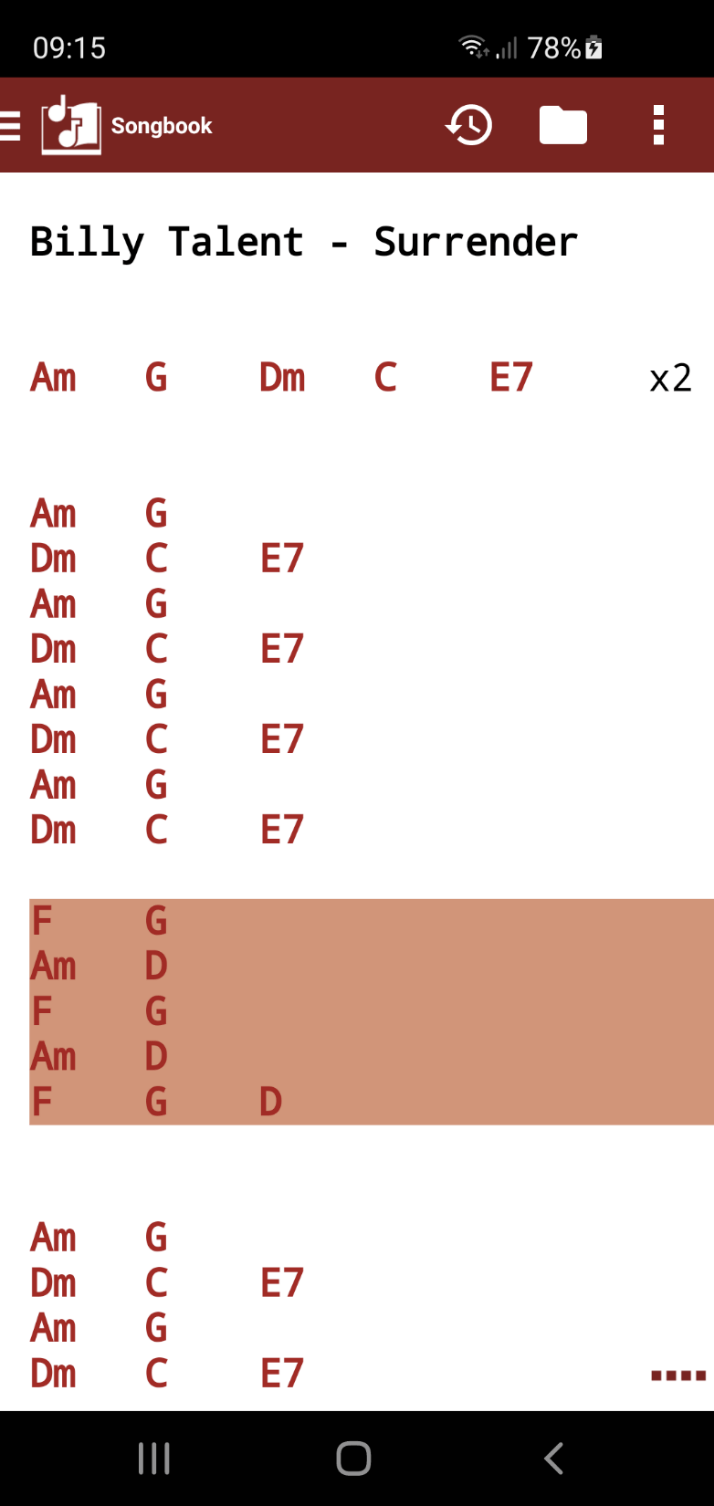
“Just chords” mode — pure chart.
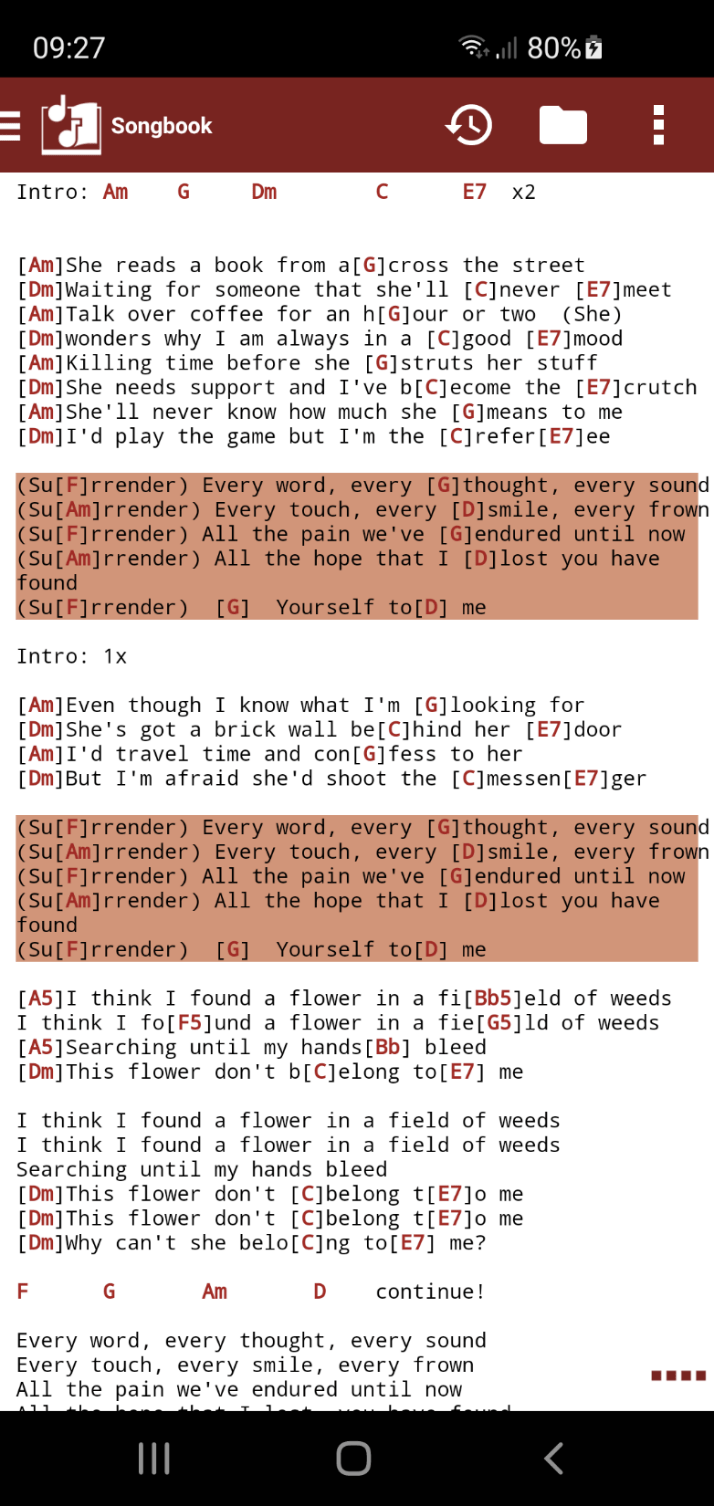
ChordPro mode — chords inline with lyrics.

Lyrics mode — perfect for singers.

Multi-column landscape layout for tablets and stage use.
5 Practice & Live Performance
On stage and during practice, the Songbook keeps your hands free. Autoscroll moves the song automatically, scroll breaks pause it on demand, and a dedicated dark mode keeps your screen unobtrusive in low light. Each song part — verse, chorus, bridge, interlude — can be coloured so you can find your place at a glance.
- Autoscroll based on song duration and text length, not just a fixed speed
- Scroll delay and scroll breaks at every line for solos and breaks
- Dark mode tuned for live performances on stage
- Colorize song parts — chorus, verse, interlude, bridge — in light or dark themes
- History to jump back to recently opened songs
See Scrolling for autoscroll and scroll breaks, and Appearance for colour schemes and themes.

Mark and Scroll break controls during a live song.
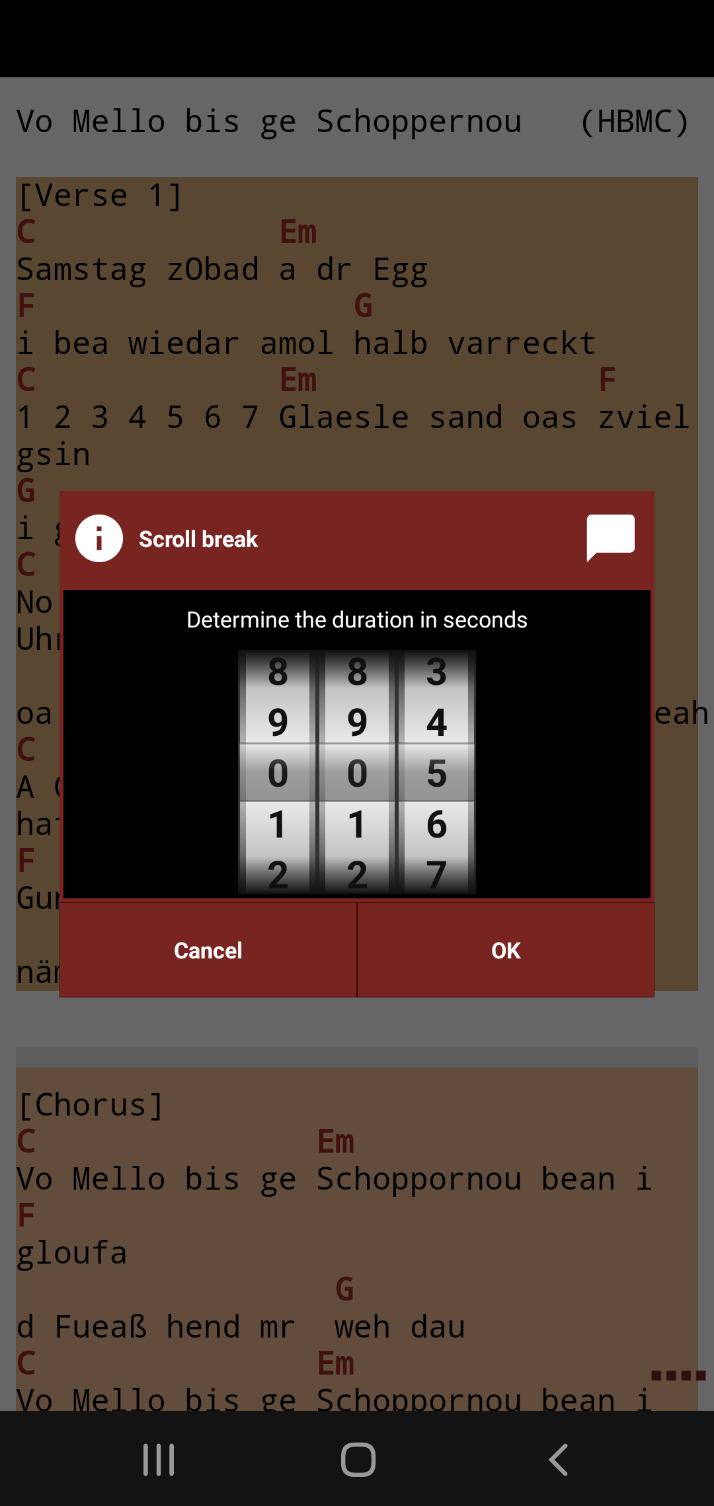
Define the exact length of every scroll break.

Dark mode with colour-coded song parts.
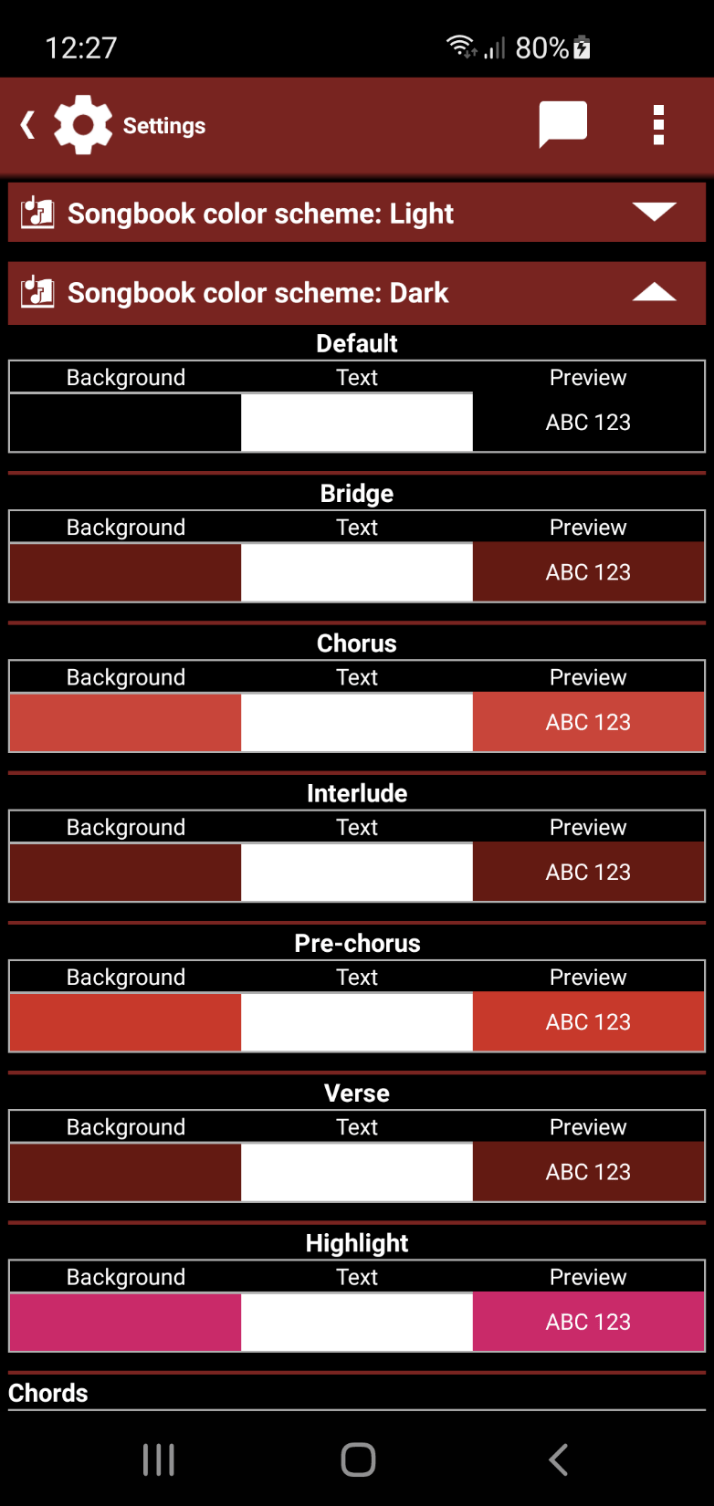
Customize background and text colour for every song part.
6 Built-In Players, Metronome & Drum Machine
Practice never has to mean playing alone. Each song can be paired with audio, video or YouTube playback, complete with A-B looping and adjustable speed for slowing down hard sections. A metronome keeps your timing tight, and the integrated drum machine adds a groove to every song.
- YouTube player — play any track alongside the song
- Audio & video player with A-B looping and adjustable playback speed
- Metronome built into the song view, locked to the song’s tempo
- Drum machine with hundreds of styles — rock, pop, latin, jazz and more
Discover all integrated players on the Players page, and the standalone Drum machine.
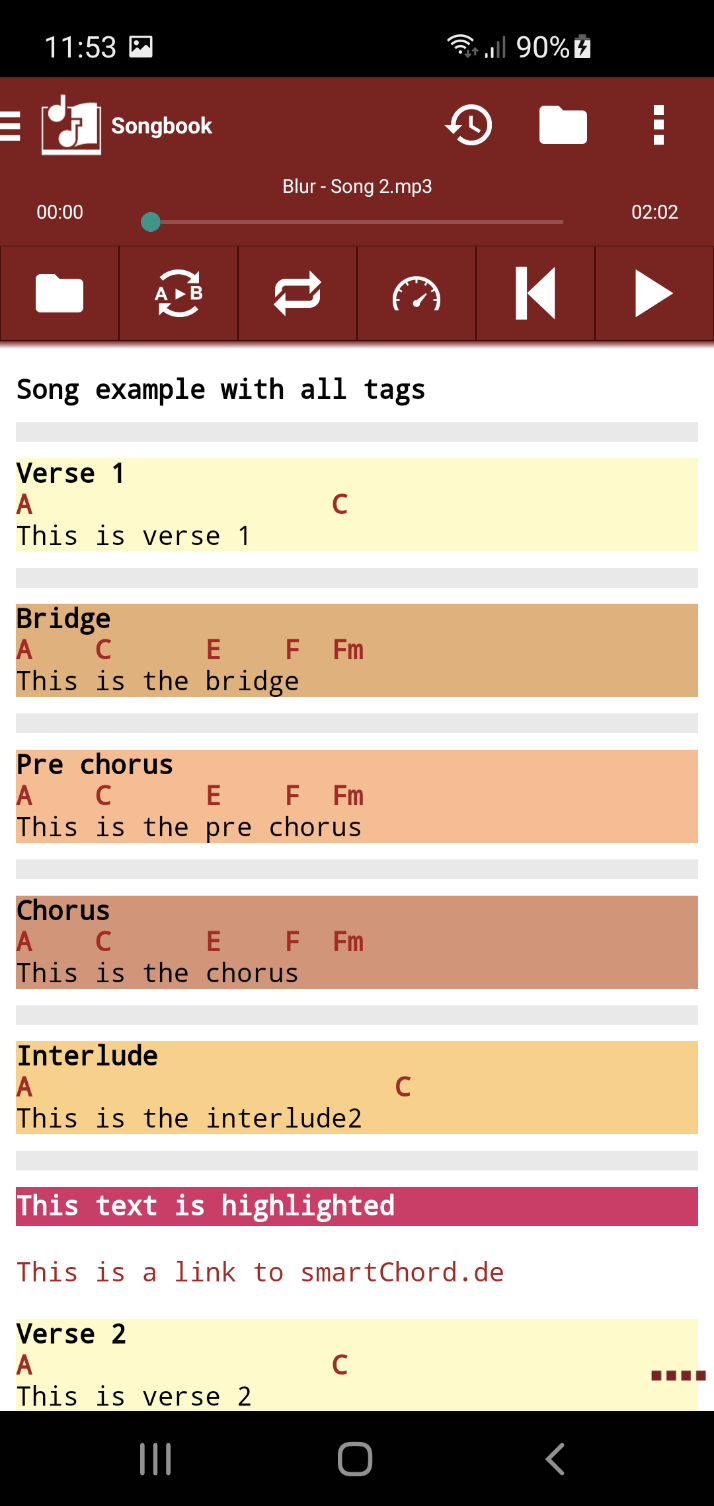
Audio player with A-B loop and speed control.

Video tutorials right next to the song.
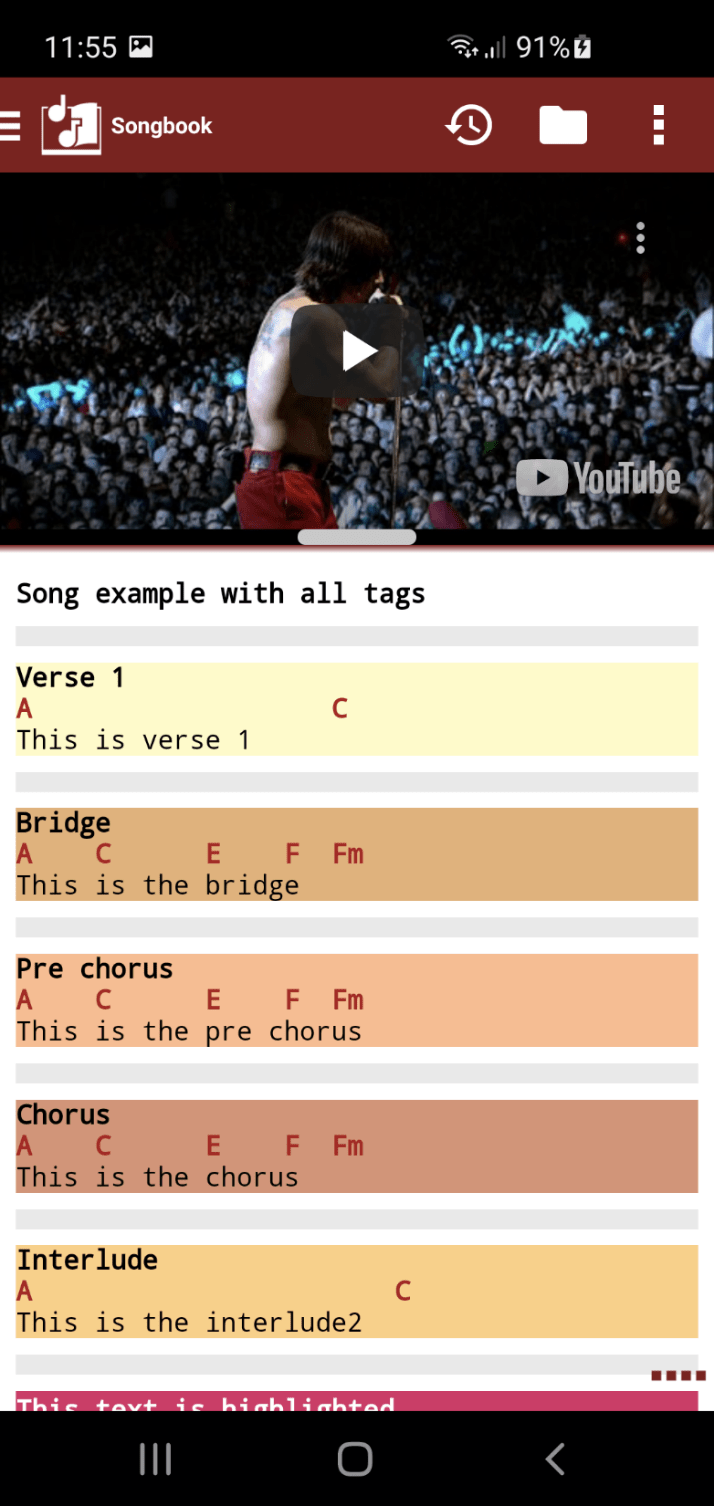
YouTube player attached to any song.

Built-in metronome locked to the song.

Drum groove for every rhythm.

Drum machine pattern editor.
7 Edit Songs Anywhere
Songs are rarely perfect on first import. The Songbook lets you fix typos, mark sections, swap fingerings or rewrite chords directly on your phone — or comfortably on the PC using the online song editor in the browser.
- Edit on your phone — change lyrics, chords, and structure on the go
- Mark chorus, verse, bridge directly in the song
- Replace chords or fingerings with a tap, when something feels off
- Online song editor on smartchord.de for keyboard-comfortable editing
See the in-app Edit songs guide and the browser-based Song Editor.

Mark song parts with a long press.

Swap a chord or fingering with a single tap.

Online song editor on smartchord.de — comfortable on a PC.
8 Manage Your Songbook
A library is only useful if you can find what you need. The Songbook lets you sort, search, favourite, categorize and tag songs, simplify them down to your skill level, tune your instrument in the same app, and print, export, sync or share songs with friends and bandmates.
- Sort, search, favourite, categorize — keep hundreds of songs under control
- Simplify songs — reduce complex chords like C13sus4 down to C7sus or even C, depending on your skill
- Built-in tuner — for every instrument and every tuning
- Print, export, sync or share songs with friends and bandmates
- Save songs as PDF for archiving or printing
See Simplify songs, Save and organize, Print songs, Synchronize and Share songs.

All your songs at a glance — sortable, searchable, favourable.

A song with intimidating jazz chords…

…simplified down to chords you can actually play.

Tune any instrument in any tuning.

Save any song as PDF.
9 Set Lists, Bandmates & External Devices
Once your library is in shape, the Songbook helps you turn it into a real performance. Group songs into set lists for a gig, control playback hands-free with a Bluetooth pedal or MIDI device, see the band’s set list change live during rehearsals, and even share songs with your audience or fellow musicians.
- Set lists — arrange songs in performance or practice order, with breaks and PDFs
- Connect bandmates — everyone sees the same song in real time
- Bluetooth & MIDI control — foot pedals, page turners, MIDI controllers
- Buttons and gestures for hands-free use on stage
- Songs on images and PDF — bring your old paper books into the digital world
- Online viewer for sharing songs with friends without sending files
More on Set lists, Connecting bandmates, External Bluetooth and MIDI devices, and the browser-based Song Viewer and Song Importer.

Set list for a real gig — song order, break and durations.

Sheet music for the whole band.

Bluetooth pedal — turn pages with your foot.

Online viewer for sharing songs in the browser.
10 More Songbook Modes & Customization
Beyond the standard chord-and-lyrics view, the Songbook offers dedicated modes for keyboard players and singers, plus a deeply customizable appearance so it looks the way you want it to.
- Piano mode — for keyboard players, with piano-shaped chord diagrams
- Lyrics mode — pure lyrics for singers, no chords or tabs in the way
- Highly customizable appearance — fonts, colours, spacings, sections
Explore Piano mode, Songbook for singers and Appearance.
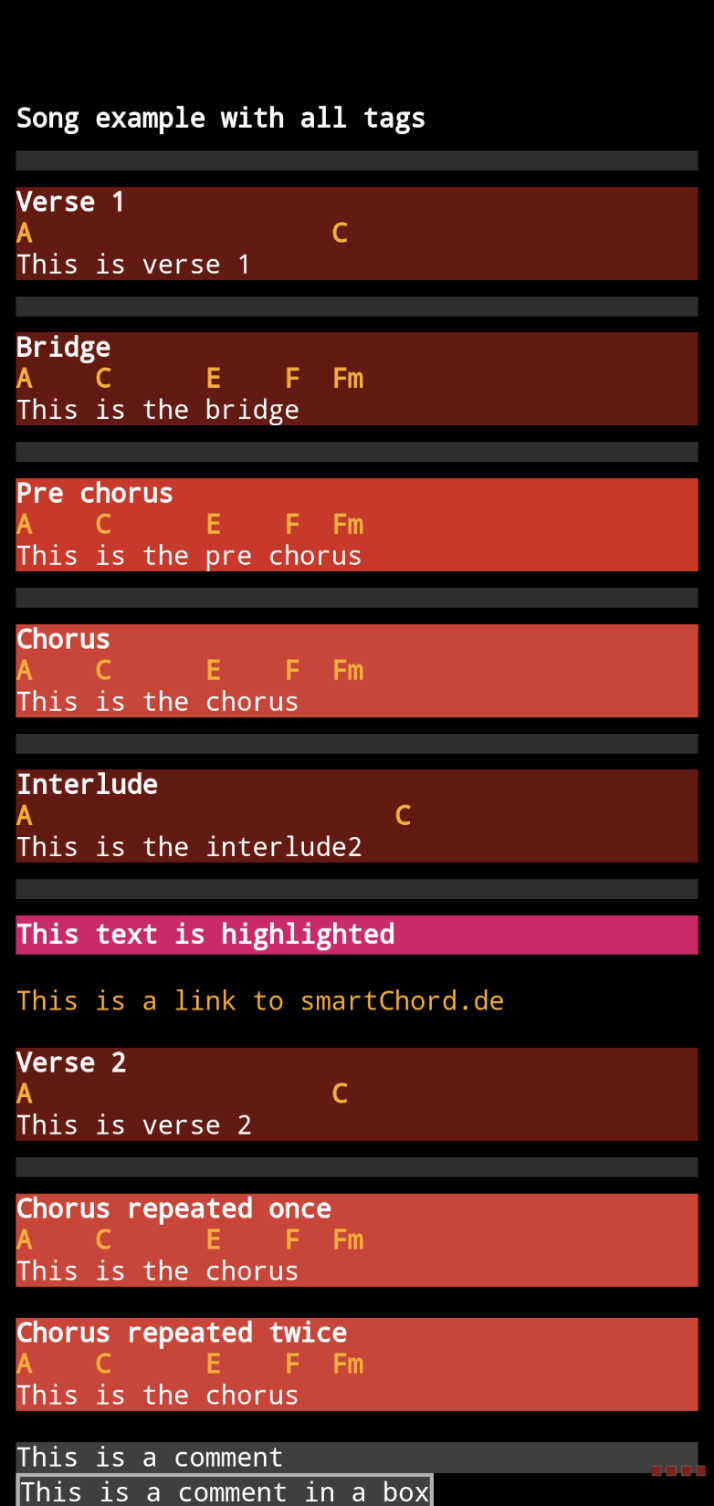
Every section — verse, bridge, chorus, interlude, comment, link — in its own colour.
11 Get the Songbook
The smartChord Songbook is a part of smartChord and free to try. Install smartChord on your Android device, open the Songbook tool, and start building your library — with your songs, your tunings, your way.
Get the s.mart Songbook on Google Play and try it for free. New to smartChord? Start with the Songbook getting-started guide.

From the rehearsal room to the stage — the Songbook goes with you.
“Now! Do yourself a favor and download smartChord.”

Get the s.mart Songbook from Google Play and try it for free!